PhotoRoom APK 2026 – AI Background Remover & Product Photo Guide
Description
PhotoRoom APK is an AI photo editor for Android built around fast background removal, product photography and e-commerce content. Google Play shows more than 100 million downloads, and the app is widely used by online sellers, creators and small businesses that need clean product photos without a full desktop design workflow.
Use this guide to find the official PhotoRoom Android app, remove a background and prepare product photos for online listings. Review editing options, privacy and current plan limits before starting a batch.
Product Photo Quality Checklist Before Export
Before uploading an edited photo to a marketplace, compare it with the original. Inspect the outline at full resolution, especially thin straps, reflective surfaces, hair and transparent items. Confirm the background has not hidden any part of the product or introduced details that misrepresent the item. Preview both the final thumbnail and the enlarged image; check the destination marketplace’s current size and format requirements. Keep the original so you can correct mistakes later. These are general editorial quality checks, not results of hands-on testing of a particular PhotoRoom version.
What Is PhotoRoom APK?
PhotoRoom is an AI visual editing app that can detect the main subject in a photo, remove the original background and place the subject on a cleaner or more useful design. It is especially popular for product photos, profile images, marketplace listings, social graphics and promotional content.
The official Android listing currently shows more than 100 million installs and a recent October 2026 update. PhotoRoom continues to add AI tools for product imagery and editing, so the current official version is preferable to outdated APK builds.
PhotoRoom AI Editing Features
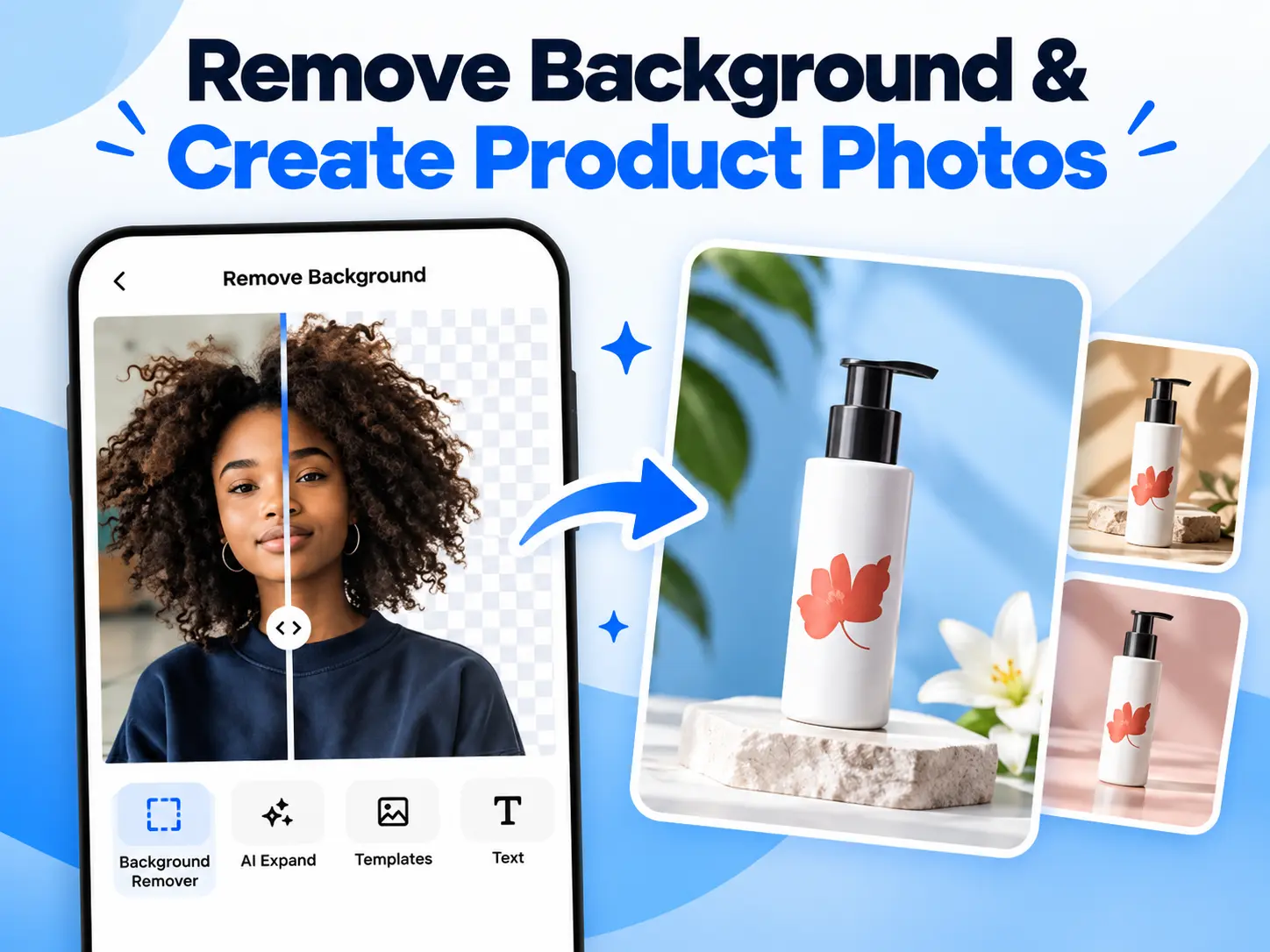
AI Background Remover
PhotoRoom can automatically detect people, products and many common objects, then separate them from the original background. This saves time compared with manually tracing edges around hair, clothing or product shapes.
Create Clean Product Photos
Online sellers can place a product on white, colored or generated backgrounds and add shadows or simple studio-style compositions. Clean product images can make a marketplace listing easier to understand, although you should follow each marketplace’s image rules.
Batch Editing
Plan a batch before exporting: Photoroom’s official export-limit guide, checked on 24 October 2026, counts each exported image separately. A batch of ten images uses ten exports. Export allowances and AI-generation credits are separate limits, and other people using the same Space share its export allowance. For example, twelve products with three final images each need at least 36 image exports, before re-exports. Check your Space’s remaining allowance and renewal date, then export one representative image and inspect its edges, dimensions and background before processing the full batch. An available batch-editing tool does not mean unlimited output.
AI Backgrounds and Generative Tools
PhotoRoom includes AI-assisted background and image-generation features for creating different scenes around a subject. Generated scenes should be reviewed carefully so they do not misrepresent the real product.
Resize for Marketplaces and Social Media
Templates and resizing tools can adapt the same image for online stores, social posts, ads and profile images. This is useful when businesses publish across multiple platforms with different aspect ratios.
PhotoRoom APK Download for Android
For the safest PhotoRoom Android download, use the official Google Play listing. This confirms the correct package and gives you the current version supported by your device.
Before installing any manually downloaded APK, use APKNIKO’s APK verification guide and APK safety guide. Avoid unofficial “PhotoRoom Pro unlocked” packages that ask you to disable Android security protections.
How to Install PhotoRoom APK on Android
1. Download PhotoRoom from the official source. Google Play is recommended for automatic updates and compatibility checks.
2. Verify any standalone APK before installation. Check the source, package identity and Android warning messages.
3. Follow the installation route you chose. If you used the Google Play button above, finish installation in the Play Store; changing “Install unknown apps” is unnecessary. That setting is relevant only when opening a separately downloaded APK from a trusted source. Our Unknown Sources guide explains the separate manual-installation route.
4. Open PhotoRoom and import a test image. Start with a clear photo where the subject is separated from the background so you can understand how the automatic cutout works.
5. Review the result before exporting. Zoom into edges around hair, transparent objects and fine product details because AI cutouts are not perfect in every image.
How to Remove a Background With PhotoRoom
Open the app, select a photo and let PhotoRoom detect the main subject. The app removes the original background automatically, after which you can choose transparency, a solid color, a template or an AI-generated background.
For e-commerce, a simple white or neutral background is often safer than an elaborate generated scene because shoppers can see the product clearly. If a marketplace requires a specific background style, follow its current listing rules.
How to Create Better Product Photos
Start with good source photography. Use even lighting, clean the product, avoid motion blur and keep enough resolution for cropping. AI can improve presentation, but it cannot fully fix a poorly photographed product.
Keep colors accurate and do not generate details that make the product look different from what buyers will receive. For online sales, trustworthy images are more valuable than visually impressive edits that could mislead customers.
PhotoRoom Free vs Pro
PhotoRoom can be installed for free and includes in-app purchases. Free users can access core editing features, while paid plans may unlock additional AI credits, batch tools, advanced templates, higher usage limits or other premium capabilities.
Plan names and prices can change by country, so review the current subscription page inside the official app. A “PhotoRoom Pro MOD APK” is not the same as a legitimate subscription and may put photos, accounts and payment information at risk.
PhotoRoom for eCommerce and Small Business
PhotoRoom is particularly relevant to Etsy, eBay, Shopify and marketplace sellers who need consistent product imagery. It can help standardize backgrounds, resize images and create social graphics from the same product photo.
The tool is also useful for freelancers and small teams that do not have a dedicated studio. However, business users should keep original product photos archived so they can prove how an item actually looks if an edited image becomes too stylized.
PhotoRoom Privacy and AI Safety
Photo editing can involve personal portraits, customer images and commercial assets. Review the current PhotoRoom privacy policy and Google Play data-safety section before using cloud or AI features with sensitive material.
Do not upload confidential client photos or unreleased products to an AI service unless your agreement and privacy requirements allow it. For important work, keep local originals and exported copies backed up separately.
PhotoRoom vs Remini
PhotoRoom and Remini solve different problems. PhotoRoom focuses on removing backgrounds, creating product scenes and preparing commercial visuals. Remini is better known for improving facial detail and restoring blurry or old photos. If photo quality is the main issue, see our Remini APK guide.
For video instead of still images, our InShot APK guide and CapCut guide cover mobile editing workflows.
Common PhotoRoom Problems and Fixes
Background Removal Misses Hair or Edges
Try a higher-quality source image with stronger contrast between the subject and background. Use manual restore/erase controls if available to fix difficult edges.
Export Quality Looks Low
Check export options, original image resolution and whether the selected plan limits certain output settings. Starting with a higher-resolution source usually gives the editor more detail to work with.
PhotoRoom Is Slow
AI features can depend on server processing and network speed. Use stable Wi-Fi, close background apps and retry later if the service is under heavy load.
APK Is Not Installing
Check Android compatibility, storage and package integrity. If an older modified build is installed, a signature conflict can block the official version. See our APK installation fixes for more help.
Frequently Asked Questions
Is PhotoRoom free?
Yes. PhotoRoom has a free version with optional in-app purchases and premium plans.
Can PhotoRoom remove photo backgrounds automatically?
Yes. Automatic background removal is one of its main features.
Is PhotoRoom good for product photos?
Yes. It is specifically designed for quick product cutouts, clean backgrounds, templates and e-commerce visuals.
Can PhotoRoom create a white background?
Yes. After removing the original background, you can place the subject on a white or other simple background.
Is PhotoRoom Pro MOD APK safe?
APKNIKO does not recommend cracked or modified builds. They can create privacy, malware, account and update risks.
Final Verdict
PhotoRoom APK is one of the strongest Android tools for fast background removal and product-photo creation. It is particularly useful for online sellers, small businesses and creators who need clean visuals without spending hours on manual masking. Use the official app, keep product images accurate and review AI-generated backgrounds before publishing them commercially.