InShot APK 2026 – Video Editor for Android, Reels & Shorts Guide
Description
InShot APK is a popular Android video editor for creators who make Reels, Shorts, TikTok-style clips, YouTube videos, photo slideshows and social content. Google Play shows more than 500 million installs, and the app combines trimming, transitions, music, captions, filters, speed controls and AI-assisted tools in a mobile-friendly interface.
Use this guide to find the official InShot Android app, plan a Reel or Short, add text and music, and choose export settings. It also covers installation, privacy and common editing problems.
What Is InShot APK?
InShot is an all-in-one photo and video editor developed for mobile users who want fast editing without a desktop timeline. It supports common creator tasks such as cutting clips, changing aspect ratio, adding text, music, stickers and transitions, adjusting speed and exporting videos for social platforms.
The official Android app has more than 500 million downloads on Google Play. InShot also continues to add AI-assisted features, including automatic captions and smart editing tools, so the current official build is preferable to old APK versions.
InShot Video Editor Features
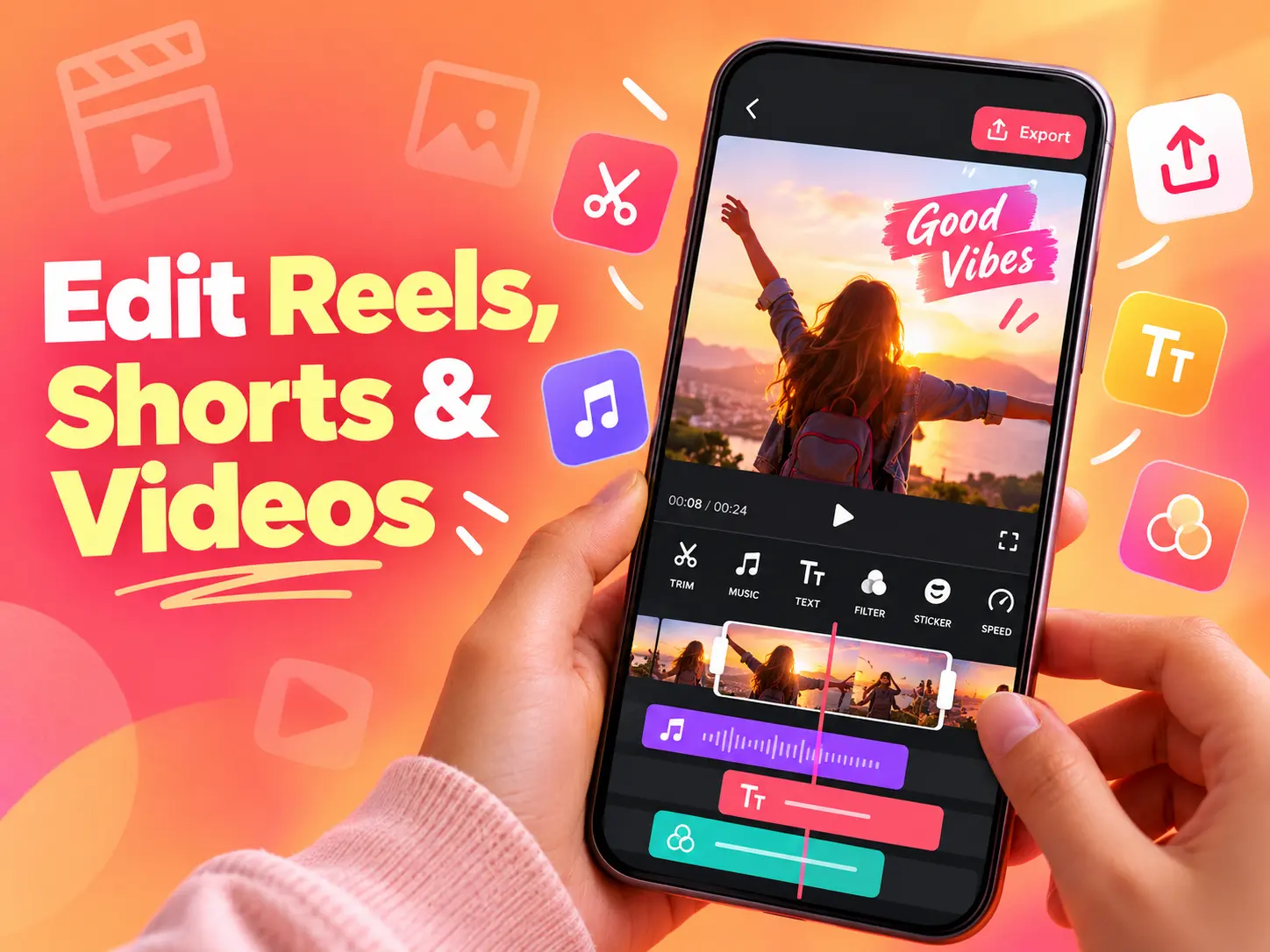
Trim, Cut, Split and Merge Video
Basic timeline tools let you remove unwanted sections, split a clip into smaller parts and combine multiple videos. These features are useful for quick YouTube Shorts, Instagram Reels and travel edits without moving files to a computer.
Auto Captions
Automatic captions can turn spoken audio into on-screen text, saving time compared with typing every subtitle manually. Always proofread generated captions because names, accents and noisy audio can reduce transcription accuracy.
Music, Voice-Over and Sound Effects
InShot can add music, recorded voice-over and sound effects to video projects. When publishing publicly, make sure you have the right to use any music or audio track rather than assuming every file is copyright-free.
Filters, Effects and Transitions
Creators can apply color filters, visual effects and transitions between clips. A lighter editing style often looks more professional than stacking too many effects, especially for product, travel and talking-head videos.
Speed Control and Slow Motion
Speed tools can create slow-motion moments, quick time-lapses or pacing changes. Smooth results depend on the frame rate and quality of the original footage.
Canvas and Aspect Ratios
InShot can resize projects for vertical, square and horizontal platforms. This is useful when adapting the same source footage for Shorts, Reels, Stories or standard YouTube.
InShot APK Download for Android
Use the official Google Play page for the safest InShot Android download. This confirms the correct developer, package and current compatible build for your phone.
If you use a standalone APK, verify it first with our APK checking guide. Avoid “InShot Pro MOD APK” packages that promise unlocked subscriptions, removed ads or paid assets from unofficial sources.
How to Install InShot APK on Android
1. Download the official app. Google Play is the simplest and safest option for most users.
2. For a manual APK, check the source and package. A modified package may be signed by someone other than the official developer.
3. Enable installation permission only when needed. Android’s per-app “Install unknown apps” control is explained in our Unknown Sources guide.
4. Open InShot and choose a project type. Select video, photo or collage depending on what you want to create.
5. Export a short test project first. This helps confirm that resolution, frame rate, audio and storage settings work correctly on your device.
How to Edit Reels and Shorts With InShot
Start a new video project and import your strongest clips first. Choose a vertical 9:16 canvas for most Reels and Shorts workflows, trim dead space, and place the most interesting moment near the beginning so viewers understand the clip quickly.
Add captions for spoken content, keep text inside the safe viewing area, and use music at a level that does not overpower speech. Before export, preview the full project with headphones and check spelling, cuts and transitions.
Best InShot Export Settings
The best export settings depend on the source footage and destination platform. Exporting at a higher resolution than the original video does not create real missing detail, and very high bitrates can make files unnecessarily large.
For most social content, use the resolution and frame rate that match your original footage unless the platform has a specific requirement. If storage or upload speed is limited, test a shorter sample before exporting a long project.
InShot Free vs Pro
InShot is free to install and includes in-app purchases. The free version provides useful editing tools but may include ads, watermarks or restricted assets depending on the current app configuration. InShot Pro can unlock additional filters, effects, transitions and other premium resources.
Subscription prices can vary by region and time. Check the current offer inside the official app before buying. Avoid cracked or premium-unlocked APKs because they may include unwanted code and can break cloud or account-based features.
InShot Privacy and Permissions
A video editor needs access to media you choose to import or save. Review Android permissions and give InShot only the access required for your workflow. If a permission does not make sense for the feature you are using, check the current app documentation before accepting it.
Projects may include private videos, faces, voices and location clues, so be careful when uploading sensitive media to any AI-assisted or cloud-connected feature.
InShot vs CapCut
Both apps are strong mobile editors, but the ideal choice depends on workflow. InShot is often attractive to users who want a straightforward mobile timeline and quick social exports, while CapCut includes a broad ecosystem of templates, effects and creator features. See our CapCut APK for Android guide for a deeper look at that alternative.
Common InShot Problems and Fixes
Video Export Is Stuck
Free storage, close background apps and export a shorter test clip. High-resolution projects with many effects need more memory and processing time.
Exported Video Has No Sound
Check whether the clip, music and voice-over tracks are muted inside the timeline. Also confirm that the source audio file plays correctly outside InShot.
InShot Is Lagging
Lower preview quality where available, close heavy apps and avoid editing while the device is overheating. Large 4K projects can be demanding on mid-range phones.
APK Will Not Install
A corrupted download, incompatible Android version, low storage or signature mismatch can block installation. Our APK installation troubleshooting guide covers the common causes.
Frequently Asked Questions
Is InShot free?
Yes. InShot is free to download with optional in-app purchases and premium features.
Can InShot edit YouTube Shorts and Instagram Reels?
Yes. Its vertical canvas, text, music, captions, speed and export tools are well suited to short-form social video.
Does InShot have auto captions?
The current app includes automatic caption features. Accuracy depends on audio clarity and language support.
Can InShot remove a video background?
Some AI and editing features can help with subjects and backgrounds, but dedicated tools such as PhotoRoom are more focused on still-image background removal.
Is InShot Pro MOD APK safe?
APKNIKO recommends the official app. Modified premium builds can create security, privacy and update problems.
Final Verdict
InShot APK is one of the easiest Android video editors to recommend for everyday creators. It gives beginners useful tools for Reels, Shorts, social videos and simple YouTube edits without forcing them into a complex desktop-style workflow. Install the official version, use copyrighted media carefully and choose export settings that match your original footage and target platform.