TeraBox APK 2026 – 1TB Cloud Storage, Backup & Android Guide
Description
TeraBox APK is a cloud storage and backup app for Android that currently advertises 1024GB of free cloud storage for registered users. Google Play shows more than 100 million downloads, making TeraBox one of the most widely installed third-party cloud storage tools on Android. In 2026, the app also combines file backup and sharing with AI-powered search, study, transcription, scanning and media tools.
This APKNIKO guide explains the official TeraBox download, 1TB storage, photo and video backup, large-file sharing, multi-device sync, privacy notes, installation and common fixes. If you install apps manually, start with our APK download guide and APK safety guide.
What Is TeraBox APK?
TeraBox is an Android cloud storage service published by Flextech Inc. It lets users upload files to online storage, back up photos and videos, organize documents and access saved data from multiple devices. The current Google Play description promotes 1024GB of free storage after registration, while paid plans vary in storage allowances and included features. Review the current plan comparison rather than assuming every subscription increases capacity.
TeraBox is not only a file locker. The current 2026 version includes AI-assisted tools for searching, studying from saved documents, transcription, image and video creation, scanning and PDF management. Feature availability can vary by region, account and subscription level, so the app itself should be treated as the final source for what your account includes.
TeraBox Features on Android
1024GB Free Cloud Storage
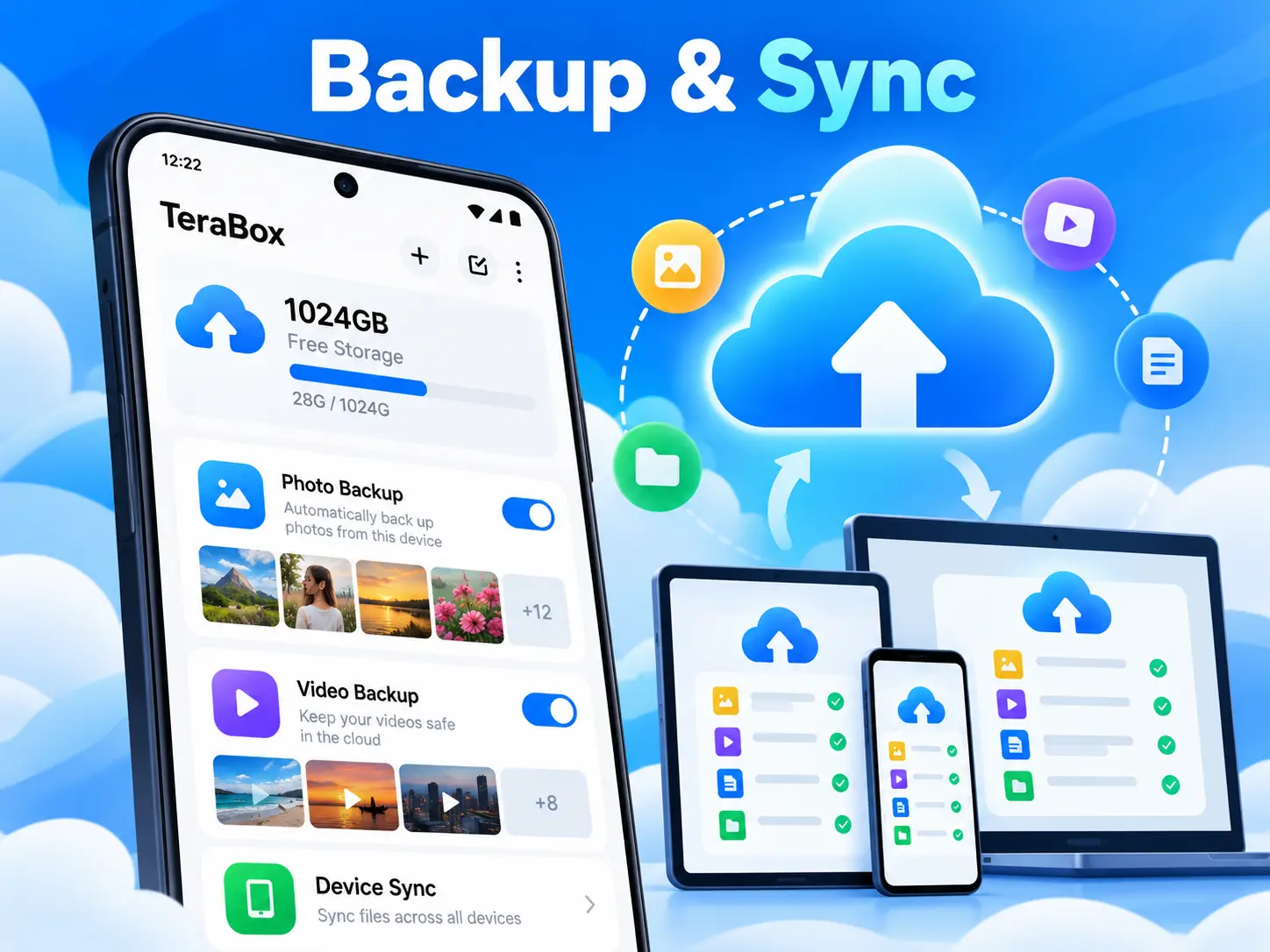
TeraBox currently advertises 1024GB, or roughly 1TB, of free cloud storage for registered users. This can be useful for users with large photo libraries, videos, documents and other files that no longer fit comfortably on a phone.
Automatic Photo and Video Backup
TeraBox offers automatic backup features. Check which media types and folders your account can back up automatically and whether the selected function requires a paid plan. Confirm that a sample file has uploaded and can be opened from the cloud before relying on it. Keep another copy of important data.
Large File Upload and Sharing
The official Google Play description advertises large-file uploads up to 128GB. This does not establish the upload limit of every free account. Check the current TeraBox plan comparison and the allowance shown in your account before uploading a large file. Total cloud capacity and the maximum size of one file are separate limits.
Multi-Device Sync
Files stored in TeraBox can be accessed from supported phones, tablets and computers. Multi-device access is useful when you want to upload from Android and later open the same file on a larger screen.
AI Search, Study and Media Tools
TeraBox now includes AI features such as document summarization, AI study notes and quizzes, transcription, image tools, video generation, scanning and AI-assisted search. These features expand TeraBox beyond basic storage, although some advanced tools may depend on plan or region.
TeraBox APK Download for Android
The safest way to install TeraBox is through its official Google Play page from Flextech Inc. The button below opens the official Android listing. Using the Play Store also makes future updates easier and reduces the chance of installing a modified or re-signed package.
If you use a standalone installer, verify the package before opening it. Our How to Check an APK Before Installing guide explains practical checks for source, package identity and security warnings.
How to Install TeraBox APK on Android
1. Open the official TeraBox download page. Google Play is recommended because it handles the correct package and updates automatically.
2. If using a manual APK, enable installation only for the source app. Android controls this permission per browser or file manager. See our Unknown Sources guide for safe steps.
3. Install and launch TeraBox. Review the permissions shown by Android before accepting them. Only grant access that is needed for the backup or media features you plan to use.
4. Sign in or create an account. Cloud storage needs an account so your files can remain connected across devices.
5. Configure backup carefully. Decide whether you want automatic photo, video or folder backup. If mobile data is limited, use Wi-Fi-only backup where available to avoid unexpected data usage.
How to Use TeraBox for Backup and Sync
Start by choosing the folders or media types you actually want in the cloud. For photos and videos, automatic backup can save time, but uploading every folder may use unnecessary bandwidth and storage. Review your backup list before leaving it enabled permanently.
For large files, upload on a stable Wi-Fi connection and keep the app active if Android’s battery optimization interrupts background transfers. After uploading, open the same account on another supported device to confirm that important files are actually available before deleting local copies.
TeraBox Free vs Premium
The free TeraBox experience includes cloud storage but also contains advertising and in-app purchases. Paid plans can increase storage and unlock additional benefits such as larger transfer options, premium playback and more AI features. TeraBox changes plan details over time, so check the current in-app subscription page before paying.
For most users, the right choice depends on how much data they store and whether they need premium transfer speed, playback or AI tools. Do not subscribe only because a third-party website promises a special “unlocked” TeraBox APK.
TeraBox Privacy and Safety
Cloud storage means your files leave the phone and are stored on remote servers, so privacy deserves attention. Google Play currently states that the TeraBox app may collect personal information, financial information and other data categories, while data is encrypted in transit and users can request deletion. Data practices can change, so review the current privacy policy before uploading highly sensitive files.
Use a strong unique password, protect your email account and avoid sharing public links to private documents. For extremely sensitive data, consider encrypting files before uploading them or using a storage service that specifically matches your security requirements.
TeraBox APK vs TeraBox MOD APK
A normal TeraBox APK is the official application package. A MOD APK is a modified version made by an unofficial third party. Modified builds may claim to remove ads, unlock premium storage or bypass paid features, but they can expose cloud credentials and personal files.
Because TeraBox handles private data, using an unknown modified package is especially risky. APKNIKO recommends the official app and does not recommend cracked premium builds.
Common TeraBox Problems and Fixes
Upload Is Stuck
Check the network connection, pause and resume the transfer, and confirm that Android battery or background-data restrictions are not stopping TeraBox. Large uploads work best on stable Wi-Fi.
Automatic Backup Is Not Working
Open Android settings and check TeraBox permissions, background activity and battery optimization. Also confirm that the correct photo or video folders are selected inside the app.
TeraBox Is Using Too Much Mobile Data
Change backup and transfer settings to Wi-Fi only where available. Large video libraries can consume significant mobile data if automatic backup is allowed over cellular networks.
Files Do Not Appear on Another Device
Confirm that both devices are using the same TeraBox account and wait for the original upload to finish. Sign out and back in only after verifying your login details and recovery options.
Useful APKNIKO File Tools
For fast device-to-device transfers without cloud storage, read our LocalSend APK guide. For managing files locally on Android, our Fossify File Manager APK guide is another useful option.
Frequently Asked Questions
Does TeraBox really offer 1TB free storage?
The current official Google Play description advertises 1024GB of free cloud storage for registered users. Availability and account conditions can change, so confirm the offer shown inside the app.
Is TeraBox free?
Yes, TeraBox has a free tier with ads and in-app purchases. Premium plans provide additional benefits.
Can TeraBox back up photos automatically?
The official app supports automatic photo backup when enabled. Check whether your account includes the other media and folder-backup options you need, and whether payment is required. Verify a sample upload before relying on the backup.
Can I share large files with TeraBox?
Yes, subject to your account’s plan and per-file limit. The store promotes uploads up to 128GB, but you should not assume that allowance applies to the free tier. Review the current plan comparison before starting a large transfer.
Is a TeraBox MOD APK safe?
An unofficial modified build should not be trusted with cloud login credentials or private files. Use the official application instead.
Final Verdict
TeraBox APK is a powerful Android option for users who need a large amount of cloud storage, automatic backup and convenient file sharing. Its 1024GB free-storage offer and expanding AI toolkit make it attractive, but users should still think carefully about privacy, ads and which files belong in the cloud. Use the official version, secure your account and keep a second backup of anything truly important.