Obtainium APK for Android 2026 – Official Download & Update Guide
Description
Obtainium APK is an Android app manager designed to help users install and track updates directly from supported developer release pages instead of relying on one centralized app store. It can follow sources such as GitHub, GitLab, F-Droid repositories, direct APK links and some developer websites. That makes it useful for people who prefer official project releases, but the source you add still matters.
What Is Obtainium APK?
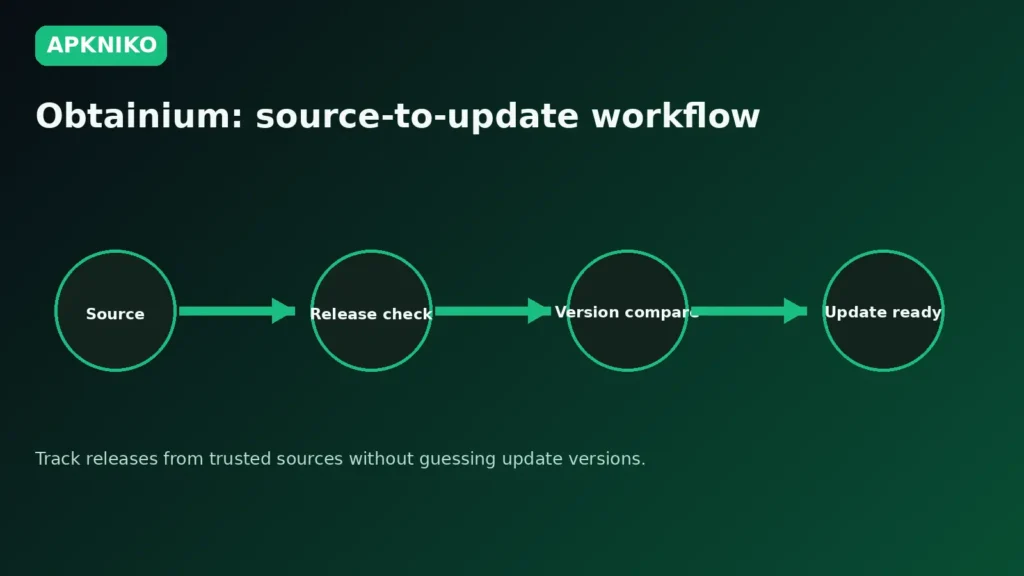
Obtainium connects an app entry to a release source and checks that source for newer versions. The official project explains that it can install and update Android apps directly from release pages and notify you when a new release becomes available. It supports many source types, including GitHub, GitLab, F-Droid, direct APK links and HTML pages that expose APK files.
This does not mean every source is equally trustworthy. Before adding a project, confirm the developer, repository, package name and release history. Our Complete APK Safety Guide explains the checks worth doing before installing an APK from outside Google Play.
Why Use Obtainium on Android?
The main benefit is direct release tracking. Open-source apps often publish new Android builds on GitHub or another project page before they appear in a store. Obtainium can reduce the need to manually revisit those release pages.
- Track supported developer release pages in one place.
- Check for new versions without manually opening every repository.
- Install APK releases from sources you have already verified.
- Keep a list of apps that come from different official distribution channels.
- Receive update notifications when a supported source exposes a new release.
Official Download and Source Check
Use the official Obtainium project at GitHubVIEW OFFICIAL RELEASES and its official release page for current APK assets. The project also publishes package and signing information that can help with verification. Avoid search-result pages that copy the name but do not clearly identify the original developer or repository.
If you download the APK manually, read our Complete Guide to APK Downloads first. After downloading, follow How to Install APK Files if Android asks for permission to install from your browser or file manager.
How Obtainium Tracks App Updates
Each Obtainium entry points to a source. The app reads release information from that source and compares the available release with the app version on your device. If the source structure changes, update detection can sometimes break until the integration is adjusted. The Obtainium project itself notes that web-scraped sources are more fragile than sources with reliable release data.
1. Add the verified source
Paste or select the official project page you want Obtainium to track. Check that the repository owner, app name and package identity match the app you expect.
2. Review release detection
Obtainium attempts to identify the latest suitable release. Do not install a build just because it is numerically newer. Read the release notes and confirm that the APK matches your device and normal update path.
3. Verify before updating
For important apps, compare signing information or published hashes when available. Our APK integrity verification guide explains why hashes and signatures can help confirm a file.
Obtainium Safety Tips
- Add developer-controlled or otherwise trusted sources instead of random mirrors.
- Read release notes before installing a major update.
- Keep Play Protect and Android security features enabled.
- Check the package name if an update behaves like a different app.
- Stop if Android reports a signing conflict you cannot explain.
If Android reports a signing conflict, see our APK Signature Mismatch Error guide rather than uninstalling a working app immediately.
Limitations to Know
Obtainium does not make an unknown source trustworthy. It is a release-tracking and installation tool, not a guarantee that every APK is safe. Some integrations depend on the layout of external websites, so detection can fail when those sites change. App updates may also fail when the new package is signed differently from the version already installed.
Frequently Asked Questions
Is Obtainium an app store?
Not in the usual sense. It helps track and install releases from sources you choose rather than maintaining one central catalog of every app.
Can Obtainium update GitHub apps?
Yes. GitHub is one of its supported release sources, provided the project publishes a compatible Android release.
Does Obtainium prove an APK is safe?
No. You still need to verify the publisher, source, package, permissions and signing path.
Should I replace Google Play with Obtainium?
That depends on the apps you use and their official distribution methods. For many users it works best as a tool for apps that publish trusted releases outside the Play Store.
Conclusion
Obtainium APK is useful when you want Android updates directly from verified project release pages. Its value comes from convenience and source control, but good results still depend on choosing legitimate sources and checking updates before installation. Use it as part of a careful APK workflow, not as a shortcut around Android security.