Aegis Authenticator APK for Android 2026 – Secure 2FA & Backup Guide
Description
Aegis Authenticator APK is a free and open-source two-factor authentication app for Android. It stores time-based and counter-based verification tokens in an encrypted vault and supports common standards such as TOTP and HOTP. For users who want an authenticator with local control, backups and strong vault protection, Aegis is worth understanding before moving accounts.
What Is Aegis Authenticator APK?
Aegis Authenticator generates one-time codes used as a second login factor. The official project supports both TOTP and HOTP, which makes it compatible with many websites and services that offer standard authenticator-app setup. The app keeps entries inside a vault rather than depending on a remote account for basic operation.
The official Aegis project describes its vault as encrypted and supports unlocking with a password or biometrics through Android’s security system. It also includes export and backup options. That is useful, but the security of your accounts still depends on how you protect the vault password, recovery codes and backup files.
Official Aegis Download Sources
Use the official Aegis websiteDOWNLOAD APK or the official GitHub repository to confirm current download options. The project also distributes through established Android channels such as Google Play and F-Droid.
If you install an APK manually, verify that you are on the genuine project page. A copied icon or familiar app name is not enough. Read our Complete Guide to APK Downloads and How to Check an APK Before Installing before sideloading.
Key Aegis Authenticator Features
Encrypted token vault
Aegis stores your authenticator entries in an encrypted vault. The official documentation describes AES-256-GCM encryption and password-based or biometric unlock options. A strong vault password matters because exported encrypted backups can contain access to many accounts at once.
TOTP and HOTP support
Most services that show a QR code for an authenticator use TOTP. Aegis also supports HOTP. You can scan a QR code, import compatible data or enter account details manually when the service supports those methods.
Backup and export
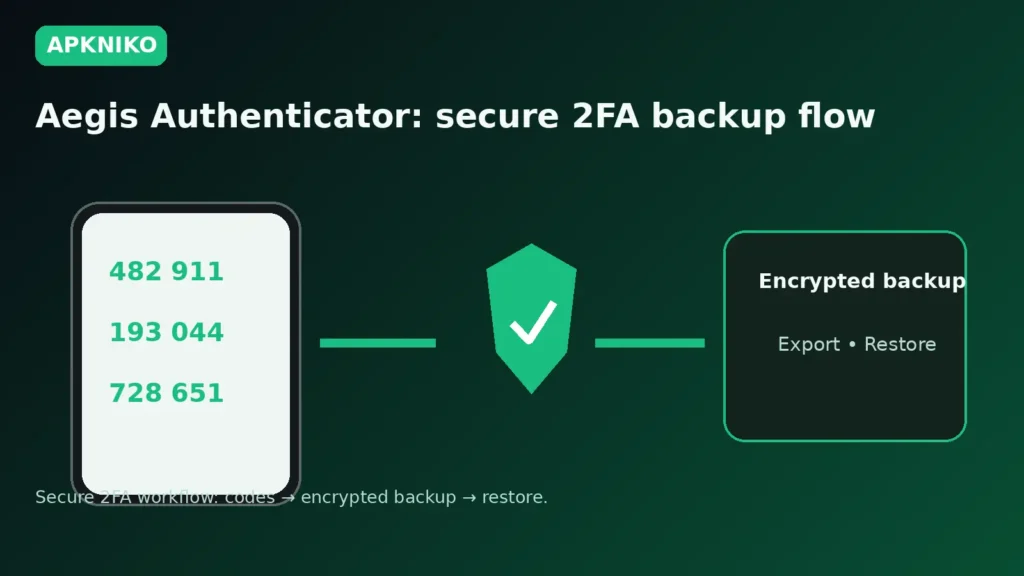
Aegis can export vault data and create backups. Encrypted backup files are safer than plain-text exports, but they still deserve careful storage. Keep at least one tested backup in a place you control, and never upload an unencrypted token export to a public cloud folder or messaging app.
Organization and search
Users with many accounts can group, sort and search entries. Custom icons and labels can make the vault easier to navigate, especially when several services use similar account names.
How to Move to Aegis Safely
1. Keep recovery codes first
Before changing authenticators, save the recovery codes supplied by each important account. Store them separately from your phone. Recovery codes can be essential if an import fails or your device is lost.
2. Add or import accounts
Use a service’s own security settings to add Aegis, or use an officially supported import path when available. Do not delete the old authenticator until you have verified that the new codes work for every important account.
3. Test a login
Sign out of a non-critical session and test the new code. Also check that your phone’s date and time are correct, because TOTP codes rely on synchronized time.
4. Create an encrypted backup
After confirming the migration, create an encrypted backup and test that you understand the restore process. A backup you cannot unlock later is not useful.
Aegis APK Safety Checks
- Download from the official project or a distribution channel the project identifies.
- Check the package and signing path before replacing an existing installation.
- Keep Android and the authenticator app updated.
- Do not share QR setup secrets, exported vaults or recovery codes.
- Prefer encrypted backups and protect the backup password.
For broader APK verification steps, use our Complete APK Safety Guide. If an update gives a signing error, read APK Signature Mismatch Error: Safe Fixes before uninstalling anything.
Aegis vs Cloud-Synced Authenticators
Aegis is designed around a local encrypted vault and user-managed backup choices. That gives you more control, but it also means you must plan your own recovery. A cloud-synced authenticator may simplify device changes, while a local-first app can reduce dependence on a provider account. Neither approach removes the need for recovery codes and strong device security.
Frequently Asked Questions
Is Aegis Authenticator free?
Yes. The official project is free and open source.
Does Aegis work with Google Authenticator codes?
Aegis supports standard TOTP and HOTP tokens, so it works with many services that use standard authenticator codes. Import options depend on the source app and export format.
Can I use biometrics to unlock Aegis?
The app supports biometric unlocking through Android’s security framework when configured on a compatible device.
What happens if I lose my phone?
You need a recovery path such as service recovery codes, another enrolled factor, or a restorable encrypted vault backup. Plan this before an emergency.
Conclusion
Aegis Authenticator APK is a strong option for Android users who want open-source two-factor authentication with encrypted local storage and backup control. Download it from official sources, protect your vault password, keep recovery codes separate, and test backups before relying on them.