Signal APK for Android: Official Download, Privacy & Backup Guide
Description
Signal APK for Android is a common search when someone wants the genuine private messenger rather than a lookalike installer. Signal’s official Android page points to its Google Play listing. Start there, then spend a few minutes checking registration, phone-number privacy and backups before moving important conversations.
This source-based guide uses Signal’s documentation checked on 15 October 2026. It explains practical choices without claiming that APKNIKO has audited the app or tested every Android model.
What does Signal do on Android?
Signal supports messages, voice messages, photos, files and voice or video calls over an internet connection. Signal conversations use end-to-end encryption. Your mobile operator can still charge for the data connection, and an offline phone cannot immediately send a message through the service.
The official Google Play listing names Signal Foundation as the publisher and uses the package org.thoughtcrime.securesms. Use these details to distinguish the genuine application from a similarly named messenger. Ratings and download totals change, so they are not a reliable substitute for checking the publisher.

Signal APK download and installation
The button opens the official Android store listing. APKNIKO does not provide a modified build, activation service or separate account-registration tool.
You can also begin at Signal’s own Android download page. If you need another distribution option, follow Signal’s own instructions rather than a mirror promoted in an advertisement. Android compatibility and the build offered can vary, so check the current listing on your phone.
Before installing a standalone package, read our APK download guide and APK safety guide. A recognizable icon does not prove that an installer came from Signal.
Register your number and protect the verification code
Signal registration still requires a phone number. According to the official registration instructions, that number must be able to receive the required SMS or call. Usernames do not remove the initial phone-number requirement.
Install the genuine app, enter the correct number and follow the verification prompts. Keep the verification code private. Someone who asks you to forward that code is asking for information that belongs in your registration flow, even if their profile looks familiar.
Set up your profile and review the PIN options the app presents. Keep that PIN in a suitable place. Do not assume a PIN is a copy of every conversation or a replacement for a message backup. Different recovery tools protect different parts of your account.
Make a first connection with someone you already know. Send a short test message and confirm it reaches the intended person before sharing sensitive material. That is also a useful opportunity to learn the difference between a message waiting to send and one that has reached the other device.
Understand usernames and phone-number privacy
Signal lets users control phone-number visibility and discoverability, and supports usernames for starting a connection without sharing the number directly. The exact behaviour depends on the settings you choose. Read Signal’s phone-number privacy explanation before assuming your number is hidden from everyone.
Open the app’s Privacy settings and review the phone-number options. Consider two separate questions: who can see your number, and who can find your Signal account using that number? These settings do not mean the same thing.
For example, sharing a username can be useful when you want a new contact to start a conversation without first receiving your phone number. However, you should still check that you are speaking to the right person. A familiar display name alone is not proof of identity.
Review your profile photo and display name with the same care. A private messaging app cannot stop information you deliberately place in a profile from becoming visible in the contexts where the app shares it.
Check identity with safety numbers
Signal provides a safety number for a one-to-one conversation. For an important contact, compare it using a trusted route, such as an in-person check or a separate conversation where you already know the person. Signal’s safety-number documentation explains how verification works.
A changed safety number needs attention, but it does not automatically prove that someone attacked the conversation. Device changes and reinstallations can affect it. Ask the contact through a known route if the change is unexpected.
This is especially useful before accepting instructions involving a password, account recovery or a payment. Encryption protects the connection between devices; it does not make every message true. Keep the identity check separate from whether the app shows a successful delivery status.
Choose a backup or transfer method before changing phones
Do not uninstall Signal, reset the old phone or clear its app storage until you understand how your conversations will move. Signal’s backup and transfer options have changed over time. Use the current backup and restore documentation for the method available in your installed app.
Android on-device backups and other available backup options are different arrangements. An on-device backup requires the relevant backup file and its passphrase. Merely remembering your phone number does not provide that local file. Likewise, copying an app icon or installing the same APK does not copy its message history.
Before replacing a phone, make a checklist: which method are you using, where is its recovery information, when did it last complete, and do you still have the old device? Follow the matching official steps from start to finish. Avoid combining instructions written for different backup methods.
For general installation and update precautions, see how to update an APK without losing data. Messaging history deserves more preparation than an ordinary app preference.
Fix common Signal problems safely
The registration code does not arrive
Check the country code, phone number and ability to receive an ordinary SMS or call. Follow the waiting period shown in the app rather than requesting codes repeatedly. Use Signal’s support instructions for the exact error you see.
Messages arrive late
First confirm that the phone has a working connection. Then check whether Android battery or background-data controls are restricting Signal. Phone manufacturers use different labels, so make a targeted change and test it. Granting unrelated permissions is unlikely to identify the cause.
A transfer or restore is missing conversations
Stop before resetting either device. Confirm that you used the correct backup method and recovery information. A successful fresh registration is not proof that an old conversation archive has restored. Keep your original backup until you have checked the result.
Frequently asked questions
Is Signal APK free?
Signal’s messaging and calling service is free to use with an internet connection. Optional paid offerings, if shown in the current app, are separate from installing the genuine messenger.
Can I register using only a username?
No. Signal’s registration instructions require a phone number. A username changes how you can connect with other people after registration.
Does end-to-end encryption stop screenshots?
It does not stop a recipient from recording or photographing information they can view. Share sensitive content with that practical limit in mind.
Will reinstalling Signal restore all my messages?
Not by itself. You need the appropriate backup or transfer method and its required recovery information. Check the official guide before deleting the existing installation.
Before moving your conversations
Install Signal from its official route, verify your first important contacts, and make a recovery plan before relying on the app. Those steps provide more practical value than chasing an unofficial package described as more private. Our Android permissions guide can help you review access requests during setup.
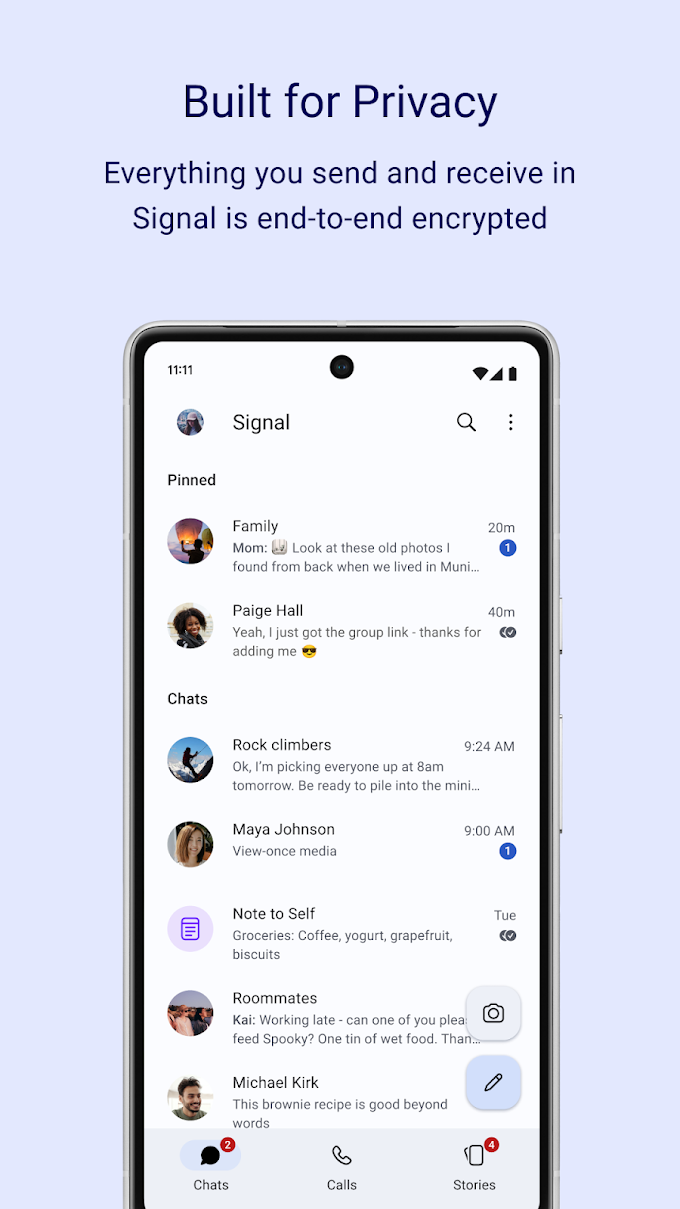
Source check: 15 October 2026. App icon and screenshot are publisher-supplied images from Google Play. Signal’s linked support pages provide the registration, privacy, identity and backup details.