WordPress plugin
WP Sticky Sidebar Pro vs Agency: 5 or 20 Domains
WP Sticky Sidebar makes a selected WordPress sidebar float as users scroll, keeping navigation, menus and related content visible at different points on a page. The Sticky Sidebar Class setting identifies the sidebar element to keep in view. Responsive behavior depends on the active theme, and the add-on includes multi-language support.
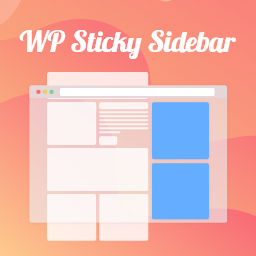
Scrolling keeps the selected sidebar in view
WP Sticky Sidebar makes a selected WordPress sidebar float as users scroll, keeping navigation, menus and related content visible at different points on a page. The Sticky Sidebar Class setting identifies the sidebar element to keep in view. Responsive behavior depends on the active theme, and the add-on includes multi-language support.
Sidebar and container selectors identify the layout
The default value for Sticky Sidebar Class is #secondary, though a theme may use a different selector. Enter a dot before a class name or a hash before an ID. Theme inspection utilities can help locate the right element.
Container Class identifies the element containing both the sidebar and main content. If this field is blank, the script attempts to determine the container.
Position options and width change where it appears
Additional top and bottom margins adjust the sidebar position. A screen-width setting can prevent the floating sidebar from appearing below a selected width. An option to update the floating sidebar height is described as a troubleshooting setting for cases where the sidebar loses its background color.
Pro controls change show, styling and exclusions
The Pro plan lists settings to disable the floating sidebar on desktop or mobile, add CSS styling, and select where the sticky sidebar is disabled. Exclusions can apply to specific pages, the front page, blog page, posts, categories, tags and archives. These settings let website owners control where the sidebar floats and how it looks.
Pro and Agency licenses cover different domain counts
The Pro plan includes licenses for 5 domains; the Agency plan includes licenses for 20 domains. Both are paid plans. A purchased paid plan can be used indefinitely, with support and updates available for one year. Renewing each year adds another year of support and updates.
Setup connects the selectors to the theme
- Install WP Sticky Sidebar in WordPress and open its settings.
- Enter the sidebar class or ID, using a dot before a class name or a hash before an ID.
- Add the container selector if the theme requires it, then set the top and bottom margins and minimum screen width.
- Save the settings and review the sidebar while scrolling on the relevant pages and screen sizes.
If the sidebar behaves unexpectedly after an update, clear the site or browser cache, save the plugin settings, then clear the cache again.