WordPress plugin
Animated Number Counters Pro for WordPress Metrics
Animated Number Counters Pro turns figures such as clients served, completed projects, or milestones into animated counter groups for WordPress. Create a counter profile, add its entries, select a layout, and place the finished group on your site.
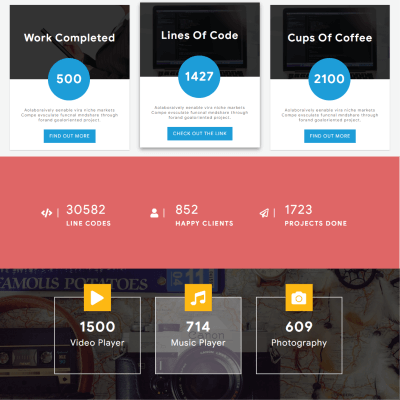
Animated Number Counters Pro turns figures such as clients served, completed projects, or milestones into animated counter groups for WordPress. Create a counter profile, add its entries, select a layout, and place the finished group on your site.
Build a counter set
Create as many counters as needed. Set a number and title for each one, with an optional description. Values can use formats such as 3000+ or 3K+, and you can append characters such as a dollar sign or plus sign. Post content is available with templates that support it.
Customize the text on a Read More button and link it to an internal or external destination. Each counter can also have a Font Awesome icon class, an picture, or a separate hover image. Add a background image, adjust its opacity, and apply a parallax effect to the counter section.
Choose a layout and style
Arrange counters in a responsive grid and choose the number of columns. More than 20 layouts are available, including material styling templates; premium templates are available for Pro visitors. Drag and drop counters to change their order.
Set font family, size, weight, color, hover color, and line height for numbers, titles, and details. Adjust margins, padding, text alignment, borders, and normal or hover states. Color schemes and custom CSS provide further styling settings.
Preview and place the profile
Use the live preview to review design changes while editing. The shortcode generator assigns each counter profile an ID, so you can place a selected group in a page or post with its shortcode. A widget option and page-builder workflows are also available, including Elementor, Beaver Builder, Divi, SiteOrigin, and Visual Composer.
After installing the add-on, choose a template, make a counter profile, and enter its content. Set the layout and styling, review the preview, then publish the group through a shortcode, widget, or supported page builder. The counters are responsive and touch-enabled, with components that reorganize for different show sizes.