Description
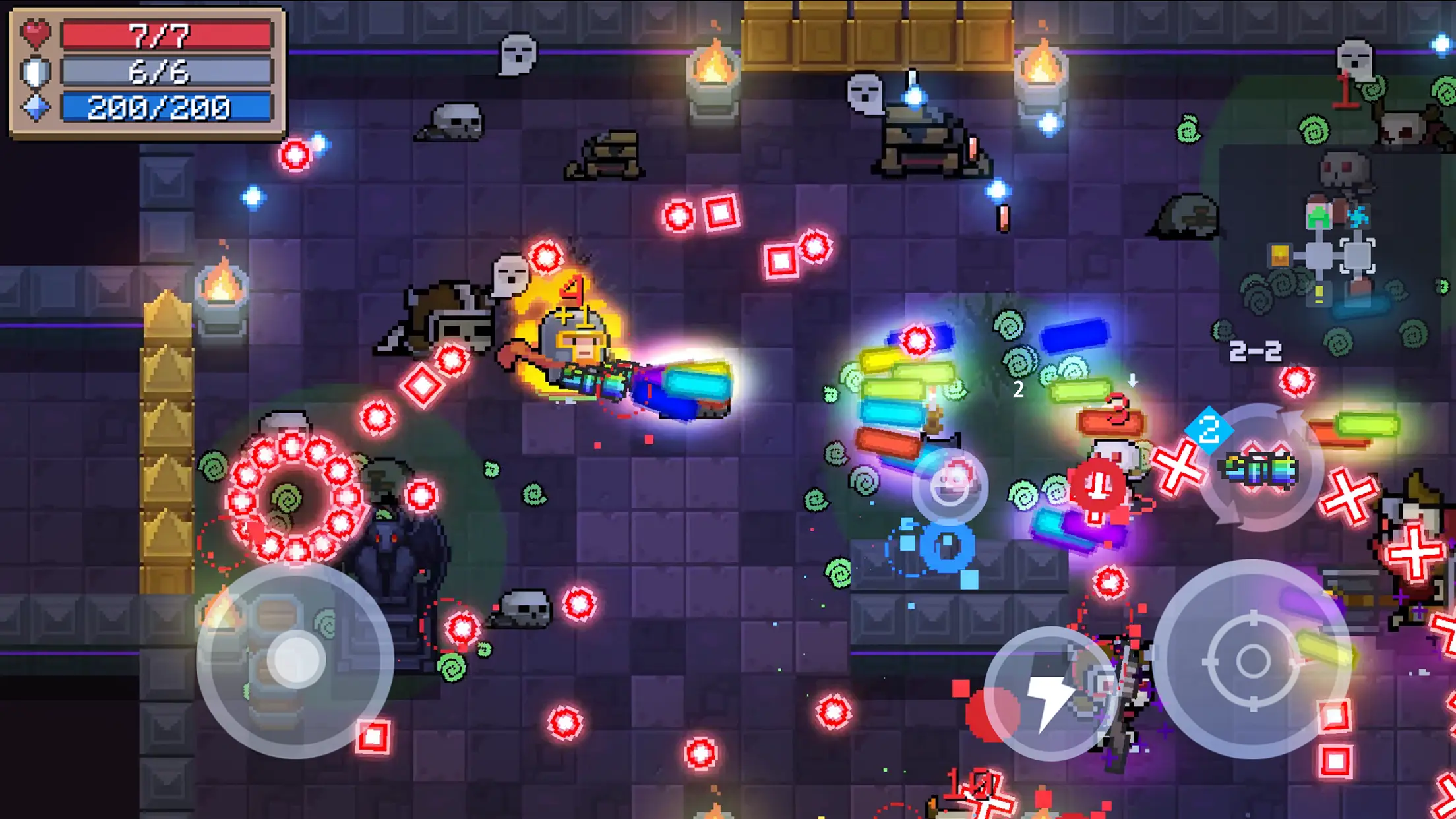
Soul Knight Android guide: Soul Knight is a fast-paced pixel-art dungeon shooter where each run asks you to react to projectiles, manage weapon energy and make sensible choices under pressure. This Soul Knight Android guide explains the mechanics that matter more than chasing a single supposedly perfect weapon. The game combines roguelike rooms, action combat and optional multiplayer, so results change from run to run rather than following a fixed level script.
What You Should Know Before Starting
Soul Knight for Android is officially offered by ChillyRoom. This article is an independent practical guide, not a claim of hands-on testing or an unofficial installer. Features, menus, purchases and supported devices can change. For the original application, start with the publisher’s official Google Play listing. Read its current compatibility information and permissions before installing.
Understand the dungeon loop
A run starts with a character, an initial weapon and a series of rooms. Defeating enemies opens the way forward, but the exact encounters and rewards can change. Treat the first rooms as an opportunity to learn a weapon’s reach, attack speed and energy cost. A fast weapon can feel powerful until it drains your supply just before a difficult wave. Rather than rushing into the middle, watch how enemies fire and use available cover to control the angle of attack. Losing a run is part of learning the pattern; it is not proof that your account or installation is broken.
Pick weapons by energy and situation
Compare a weapon’s damage with how consistently you can use it. A high-damage gun with heavy energy consumption is useful for a short burst, but a modest weapon you can fire throughout a long fight can be safer. Keep track of the blue energy meter as well as health. Where the mode allows switching weapons, carry tools with complementary roles: one for controlled damage and another for crowded spaces. Look for openings after an enemy attacks before using a close-range option. A weapon tier list from an old update should not replace checking the current behavior inside the game.
Survive boss rooms without panic
A boss encounter is often easier when you preserve movement space. At the start, avoid standing beside a wall if it leaves no escape route. Notice whether projectiles travel in lines, fans or delayed patterns, then move through the safest gap. Firing continuously while trapped can cause unnecessary damage; there is value in briefly concentrating on dodging. Save a reliable weapon for the phase in which the arena becomes crowded. If a strategy fails twice, change where you stand and when you attack rather than automatically spending more resources.
Playing solo and with friends
The official listing advertises both solo and multiplayer options, including teams. Multiplayer adds coordination, but it does not remove the need to watch energy, health and room hazards. Before starting a session, confirm that everyone uses a compatible game build and has a reliable connection. Agree on a simple plan such as clearing nearby threats first and keeping paths open. If a session cannot connect, test the game in solo mode to separate connection problems from general installation problems. Avoid downloading unofficial modified packages claiming to unlock characters or currency.
Progress steadily instead of spending blindly
A beginner benefits from learning a small set of dependable movement and firing habits before focusing on every unlocked character. Try a few runs with one familiar character so you can compare results. When choosing an upgrade, ask whether it solves a problem you actually face: survivability, reach or damage consistency. Note which rooms cause the most losses. Practice avoiding those attacks, then revisit equipment. The game’s live balance and events may change, so avoid guides that present one loadout as permanently unbeatable. Optional purchases are not required to understand the basic combat loop.
Beginner Checklist
- Begin each room by identifying the nearest ranged enemy instead of charging forward.
- Keep enough movement space to dodge before picking up a tempting reward.
- Check the energy cost of a new weapon before replacing a reliable one.
- For multiplayer, confirm each player’s connection and game update first.
Official Android Download and Installation
To get the authentic game on Android, open the official Soul Knight Google Play page, verify the developer name and review the current store information. Tap Install if your device is compatible. Launch the game after installation and give only permissions it actually needs. Update through the same trusted source where possible.
Need to understand APK files rather than app-store installs? Our complete APK download guide explains how Android packages work. The APK installation walkthrough is useful when a developer distributes a legitimate standalone package, and our APK safety guide describes publisher, permission and integrity checks. Avoid unofficial ‘mod’, unlimited currency or unlocked premium claims, which can expose your device or account to unnecessary risks.
Save Soul Knight progress before changing phones
ChillyRoom’s Android cloud-save manual describes manual Upload Progress and Retrieve Progress controls. Upload the local progress you want to keep before removing the game. Check which account is signed in, then compare the displayed local and cloud records before retrieving anything. Retrieving an older record can replace newer local progress.
Keep the login method consistent. The cloud-save limitations guide explains that signing in with Google and registering a ChillyRoom account can create separate accounts even when both use the same email address. Their saves do not automatically merge. Device binding and account-switching limits also apply; follow the displayed waiting period instead of repeatedly reinstalling.
For a practical check, finish a short run, return to the main menu and review the save screen. Confirm that the account and progress are the ones you intend to keep. Do this while your original installation still works. If the cloud record looks wrong, contact official support before choosing a restore action.
Troubleshooting Without Losing Data
If installation fails, confirm device compatibility and free storage, then restart and retry from the official listing. If the game opens but crashes, check for updates and temporarily close heavy background apps. For account or progress problems, use the publisher’s official help channels. Do not clear storage or uninstall before checking backups and sync: the action can permanently remove local content. The APK installation failed troubleshooting guide covers common Android errors. If Android reports a protection warning, read what Play Protect warnings mean before taking any action.
Related APKNIKO Reading
another dungeon roguelike · Android gaming performance tips. These guides cover nearby skills, alternatives or Android issues without pretending the apps are identical.
Frequently Asked Questions
Is Soul Knight an online-only game?
Its store listing includes solo and multiplayer modes. Availability of a particular activity can depend on its current version and required online services.
Do I need expensive weapons to begin?
No. Timing, movement and energy management matter more than buying a particular item.
Why does the game feel difficult at bosses?
Boss attacks crowd the arena. Focus on projectile patterns and escape routes before attacking continuously.
Where is the official Android download?
Use ChillyRoom’s verified Google Play listing linked above. Avoid altered APK claims and unsupported mirrors.
Can I move a Soul Knight save from Android to iPhone?
ChillyRoom’s Android manual says saves cannot transfer between Android and iOS. Check the current official instructions before changing platforms, and keep the original installation until you understand the available options.
Final Thoughts
A useful first session is one familiar character, a weapon you can afford to fire and a deliberate escape route in each room. Review one mistake after a failed run, then upload the progress you want to protect. Use the official help links when a save or account prompt is unclear.