WordPress plugin
Accordions - Premium
Accordions - Premium is a React-based builder for interactive content. Use accordion sections for expandable information, tabs to organize content behind navigation, and picture accordions to arrange visuals as an interactive sequence. FAQs and toggled content can be created with accordion tools.
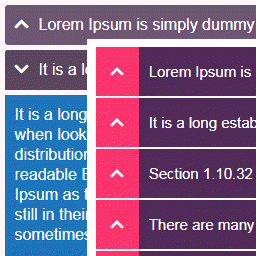
Build interactive WordPress sections
Accordions - Premium is a React-based builder for interactive content. Use accordion sections for expandable information, tabs to organize content behind navigation, and picture accordions to arrange visuals as an interactive sequence. FAQs and toggled content can be created with accordion tools.
Set accordion behavior and navigation
Accordion items support autoplay and animated content transitions. Add an expand or collapse all button with customizable text and icons, or use search to help users find content within an accordion. Labels can include icons and a counter. Idle and toggled icons support animated transitions.
URL hash support links directly to specific accordion items. The keep-expand-other option lets multiple sections stay open at once. Schema integration is available for accordion content.
Adjust styles and edit content
Style controls cover fonts, colors, spacing, and other presentation details. In the content editor, sort items, duplicate them, and copy or paste between accordions. OpenAI integration can generate FAQs and other content within the builder.
Organize content in tabs
Tabs support lazy loading, URL hash links, and autoplay for automatic cycling. Their navigation can use customizable icons, counters, and animations. Tab content can include media and shortcodes, with in-and-out animations.
The tabs editor works with sorting, duplication, and copy-paste. OpenAI integration can also generate FAQs for tab content.
Present pictures as an interactive sequence
Image accordions support lazy loading, URL hash links, autoplay, and hover effects with overlay animations. Select images through the WordPress Media Library while building the layout.
Lazy loading is available for tabs and image accordions. Accordion schema integration applies to accordion content.
Set up a content element
Choose an accordion, tab set, FAQ section, or image accordion. Add and organize items in the editor, then adjust the available fonts, colors, spacing, icons, counters, animations, and behavior. For tabs or image accordions, select relevant media and enable settings such as lazy loading, autoplay, or URL hash support as needed.