Shadow Fight 2 Android: Weapons & Beginner Guide
Description
This Shadow Fight 2 Android guide helps you choose weapons, understand close combat and protect your progress. If an opponent keeps beating you, first work out whether the problem is distance, timing or equipment. A stronger weapon cannot fix an attack that never reaches its target.
NEKKI combines martial arts fighting with RPG equipment and a story about closing the Gate of Shadows. You control a silhouetted fighter, learn attacks and face increasingly demanding opponents. This guide covers the standard free Android game; the separate paid Special Edition has different features.
Shadow Fight 2 Android: quick overview
| Item | What to know |
|---|---|
| Publisher | NEKKI |
| Game style | Martial arts combat with RPG equipment progression |
| Price model | Free download with ads and optional in-app purchases |
| Android package | com.nekki.shadowfight |
| Connection | Internet needed for cloud saving and online features |
Download the official Android game
Open the button below and check that the publisher is NEKKI. Google Play shows availability for your phone and region. Install the game, allow its required downloads to finish and complete the tutorial before making equipment purchases.
If you are comparing an APK from another source, start with our APK download guide and APK safety guide. Avoid modified packages that promise unlocked purchases. They can differ from the official release and complicate support or saved progress.
Learn distance and timing before long combinations
Begin with the moves shown in the tutorial and the in-game moves list. Practise one basic attack until you recognize its reach and the time your fighter needs to recover. Then add a second move. Learning a small set clearly is easier than pressing every control during a difficult round.
Try this practice drill: approach an opponent, stop near your chosen attack’s range and use a single move. Observe whether it connects, misses or leaves you exposed. In the next attempt, change only your distance. This separates an aim problem from a timing problem.
When you lose, choose one moment to study. Were you attacking while the enemy was already moving? Did your weapon pass beyond a close opponent? Repeating the same input faster rarely explains the mistake. A short pause between attempts gives you a more useful plan.
Use throws when an opponent gets close
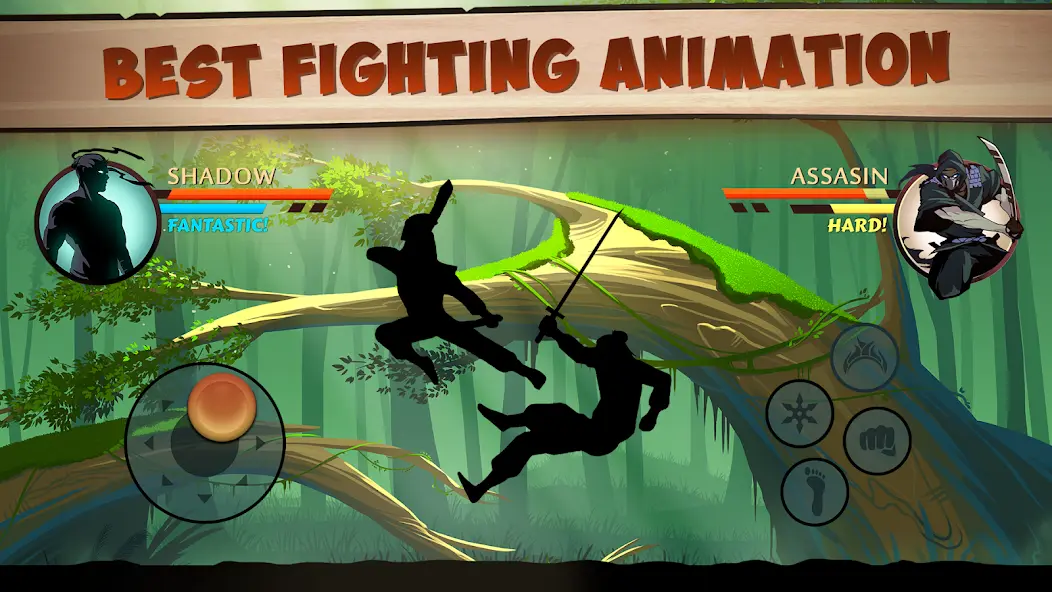
NEKKI’s throw instructions explain that you must be close to the enemy, move the stick left or right and press punch. The direction depends on the fighters’ positions. Check the moves section in your profile and practise the input before relying on it in a harder fight.
Choose a weapon you can control
Weapons change how you approach a fight. The official listing includes swords and nunchaku alongside armor and magical abilities. Rather than treating a weapon name as an automatic win, compare what you can actually do with the equipment available in your shop.
Before buying, ask three questions. Can you recognize the weapon’s comfortable distance? Can you recover after a missed attack without immediately repeating it? Does its available upgrade cost fit your resources? These questions help you make a useful choice without following a universal weapon ranking.
If a new weapon feels awkward, give yourself a few practice rounds before judging it. Try a basic standing attack, a directional move and a close-range response. Keep the opponent and difficulty as similar as possible so you can understand the difference.
Also check defensive equipment. If you repeatedly take heavy damage after a single mistake, review the current armor and helmet options before spending everything on attack power. However, buying equipment should follow a clear reason. Avoid replacing a familiar setup just because another item looks impressive.
Story progress, boss battles and Underworld
Use the story to build confidence with your current controls. Before a difficult fight, check the displayed difficulty and equipment options. If you are stuck, return to available fights you can manage, practise a specific weakness and reconsider the setup before trying again.
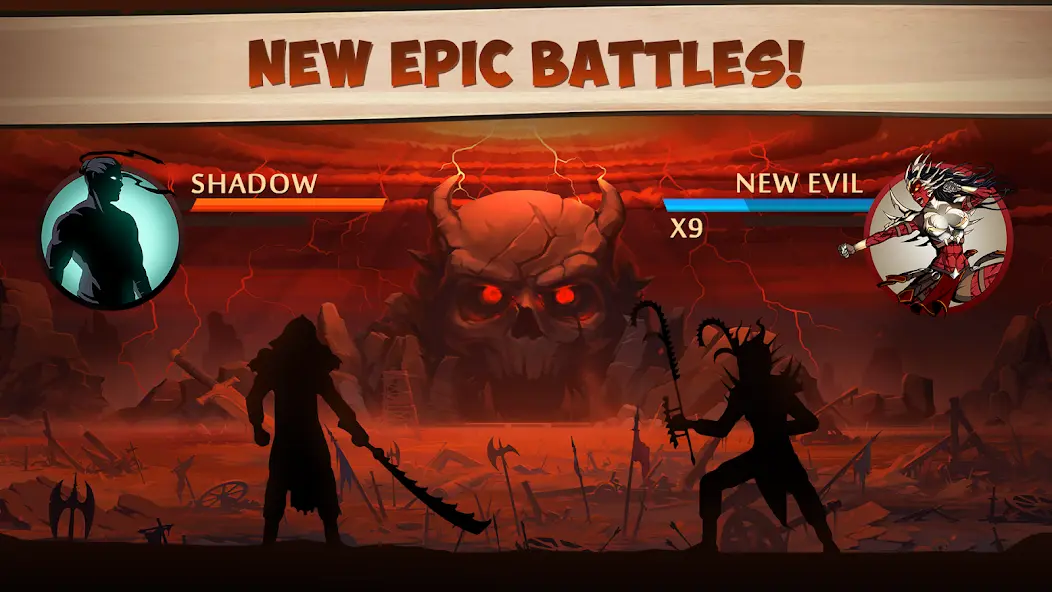
The standard game also includes Underworld battles with other players against bosses, as described in the official store listing. Treat that as a separate activity from learning the early story. Online features require a working connection, so prepare for them when your network is stable.
How boss weapons work in Eclipse mode
According to NEKKI’s boss-weapon guide, eligible boss weapons come from beating the relevant guards and boss again in Eclipse mode. The map’s sun control switches modes once the feature becomes available through story progress. These rematches are harder, so prepare your equipment first rather than expecting the first story victory to award every boss weapon.
Spend coins and gems deliberately
Set one upgrade goal before opening the shop. For example, decide whether you need a familiar weapon upgraded or defensive equipment improved. Compare the cost with your available balance, then keep enough flexibility for your next fight. A clear goal makes impulse purchases easier to avoid.
Read gem confirmations carefully. NEKKI’s accidental-spending policy says it cannot restore gems after a confirmed purchase. Take a moment to check the item and amount before accepting. Optional purchases should fit your own budget; they do not replace learning combat.
Save Shadow Fight 2 progress before reinstalling
NEKKI’s progress-saving instructions advise Android players to connect the game to the correct Google Play account with stable internet. After the tutorial, inspect the connection in Settings and keep a private record of your UserID. Facebook synchronization alone does not save progress.
The official custom-save guide also describes a Game progress control for saving or loading a synchronized account. Check the displayed save before loading. Read restoration prompts carefully, because choosing the wrong action can overwrite the progress you want to keep.
Do these checks before uninstalling, clearing app storage or changing phones. Our guide to updating an APK without losing data explains the difference between updating an app and removing its stored data. If a save is missing, use official support before making further changes.
Frequently asked questions
Is Shadow Fight 2 free on Android?
The standard NEKKI release is free to download and contains ads and optional purchases. Special Edition is a separate paid product, so check which listing you are opening.
Which weapon is best for a beginner?
Choose one whose range and moves you understand and can afford to maintain. Practise it against familiar opponents before changing equipment. This guide does not claim one weapon is best for every fight.
Can I play without internet?
Google Play lists offline gameplay, but cloud saving and online activities need a connection. Do not assume a local session has synchronized until you check the account and save status online.
Why did I not receive a boss weapon?
A first story victory is different from the eligible Eclipse rematch described by NEKKI. Check the boss-weapon instructions and your unlocked modes before repeating the fight.
Should I clear app storage to fix a problem?
Check your cloud save first. Clearing storage can remove local data. Start with a normal restart and the official support guidance, especially if you cannot confirm that your progress is synchronized.
A useful first-session plan
Install the official release, complete the tutorial and connect your save account. Then practise one familiar weapon, learn a close-range response and make one considered equipment decision. That gives this Shadow Fight 2 Android guide a practical goal: progress you understand and can protect.