Shizuku APK 2026 – Download, Setup Without Root & How to Use
Description
Shizuku APK is an open-source Android utility that lets compatible apps use system APIs through ADB or root privileges. The important point is that Shizuku does not magically root your phone. On a non-rooted device, it can start through ADB, and on Android 11 or newer it can use Android’s built-in Wireless Debugging feature.
Shizuku has more than 10 million installs on Google Play, and the official listing was updated on September 4, 2026. The current official GitHub release is v13.6.0. This guide covers the official download, setup without root, wireless debugging, supported Android versions, safety and common problems.
What Is Shizuku APK?
Shizuku acts as a bridge between Android apps and higher-level system APIs. Apps that support Shizuku can request access through the Shizuku service instead of asking the user to fully root the device. This is useful for advanced Android tools such as package managers, debloat utilities and permission-management apps.
On non-rooted phones, Shizuku normally runs with the identity provided by ADB. That is more powerful than ordinary app permissions but is not identical to full root access. The exact capabilities available to a Shizuku-powered app depend on Android version, device software and the permissions available to the ADB shell.
Shizuku Key Features
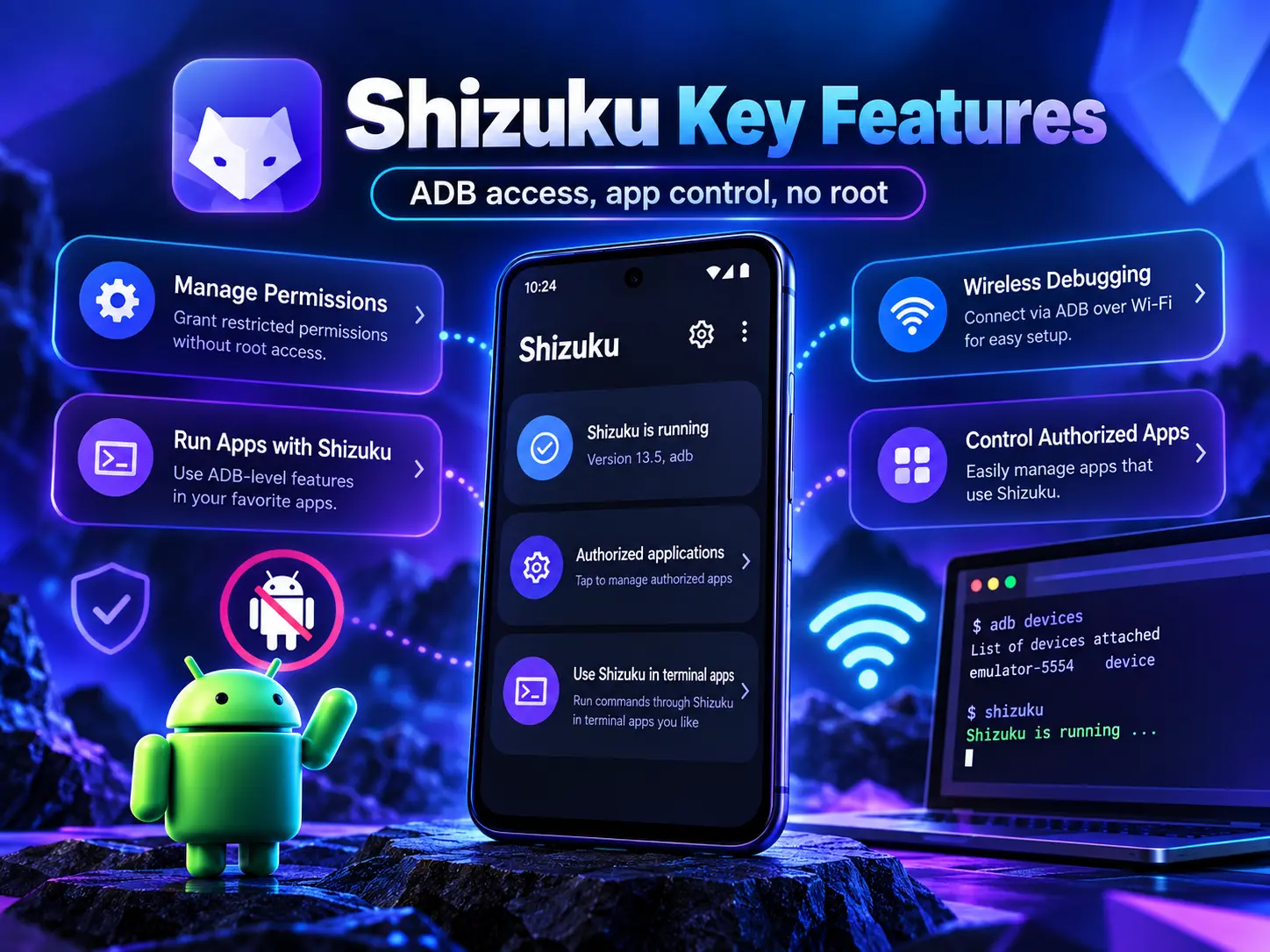
Works With Rooted and Non-Rooted Devices
Rooted users can start Shizuku directly with root. Non-rooted users can start it with ADB. Android 11 and newer include Wireless Debugging, which allows many users to complete the setup on the phone without keeping a USB cable connected to a computer.
App Authorization Control
Apps do not automatically receive Shizuku access just because Shizuku is installed. Supported apps request authorization, and the user can review which apps are allowed to communicate with the Shizuku service.
Open-Source Project
Shizuku’s source code and developer documentation are publicly available through RikkaApps on GitHub. The official Google Play data-safety section states that the app does not share data with third parties and reports no data collection.
Useful for Advanced Android Tools
Shizuku is commonly used by apps that need ADB-level capabilities for package management, permission control or other advanced Android maintenance tasks. It is best treated as infrastructure for trusted utilities rather than as a general “performance booster.”
Shizuku APK Download for Android
Use the official Shizuku download page or Google Play. The official project also publishes releases on GitHub. Avoid random mirrors that change the package or re-sign the APK, because a modified Shizuku package would defeat the purpose of using a trusted permission bridge.
Before installing any APK manually, you can review our guide to checking an APK before installation. For general sideloading steps, see the APK installation guide.
How to Set Up Shizuku Without Root
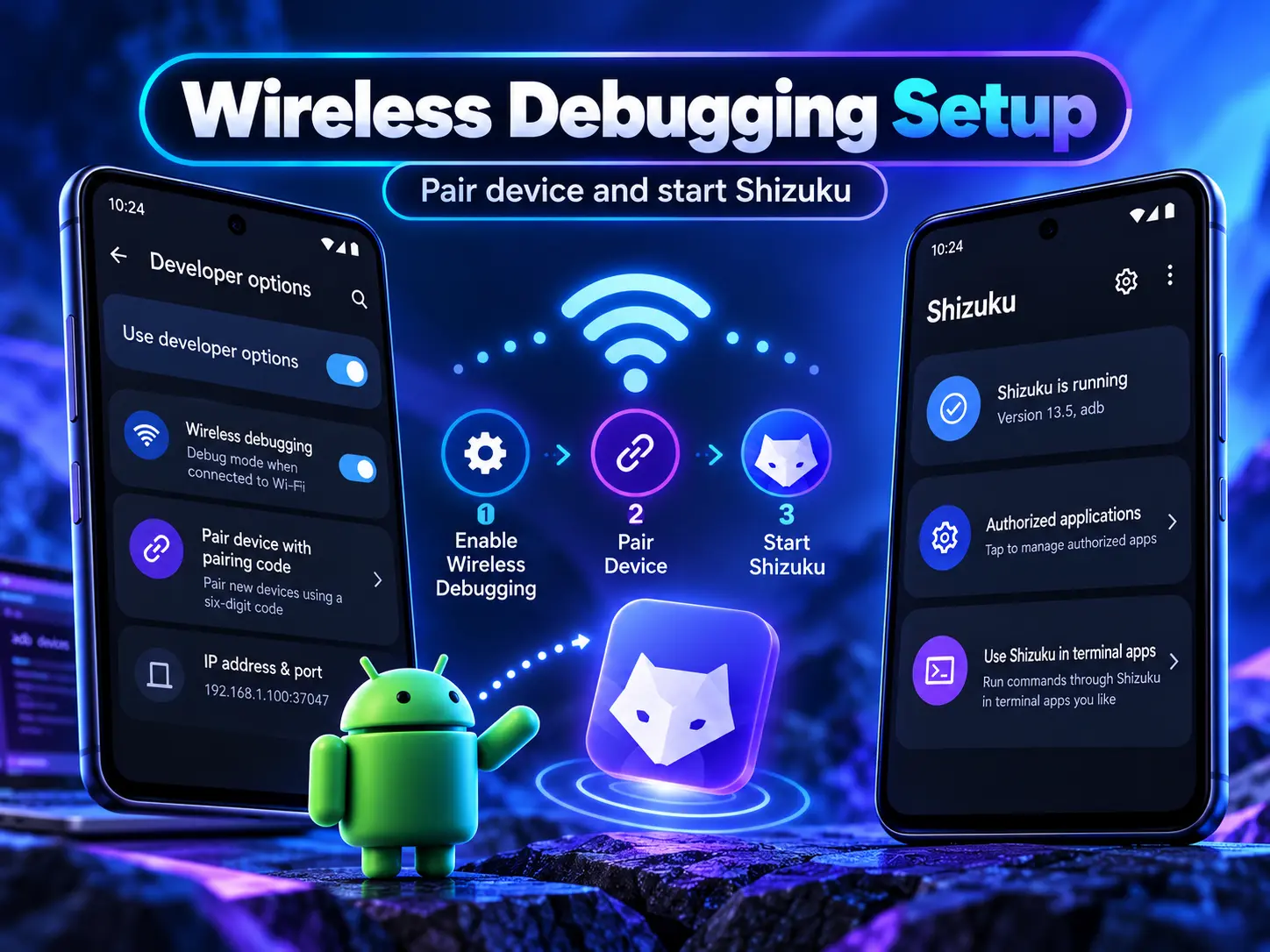
1. Install Shizuku from an official source. Open the app and read the startup methods shown for your Android version.
2. Enable Developer options. The path differs between manufacturers, but it is usually enabled by tapping the Build number several times in About phone.
3. Open Wireless debugging. On Android 11 and newer, go to Developer options and enable Wireless debugging. The official Shizuku guide uses this method for on-device pairing.
4. Pair the device. In Wireless debugging, choose the pairing-code option. Start pairing in Shizuku and enter the code when prompted.
5. Start Shizuku. After pairing, return to Shizuku and start the service. The app should show that Shizuku is running.
6. Authorize only apps you trust. When a compatible app requests Shizuku access, check the app name and purpose before approving it.
Shizuku Android Version Requirements
The official Shizuku documentation lists Android 7 or newer as the minimum for current builds. Wireless Debugging startup is designed for Android 11 and newer. On older supported devices, a computer-based ADB method may be required for non-root use.
Startup behavior after reboot depends on the mode and Android version. The v13.6.0 release added newer startup improvements, including Android 16 QPR1 support and an auto-start option on Android 13+ in supported trusted-WLAN conditions. Because vendor Android skins behave differently, follow the current official guide for your phone.
Is Shizuku Safe to Use?
Shizuku is a powerful utility, so safety depends on both the Shizuku build and the apps you authorize. Download Shizuku only from its official sources and grant access only to apps you understand. A malicious or poorly designed app with Shizuku authorization may gain capabilities that normal Android apps do not have.
Do not disable Android security protections just to make an unknown Shizuku module work. If an APK source looks suspicious, use the checks in our Complete APK Safety Guide before proceeding.
Shizuku Without Root vs Root Mode
Without root, Shizuku generally works through the ADB shell identity. This gives compatible apps access to certain system APIs while keeping the device unrooted. Root mode can expose different or broader permissions because Shizuku starts with root privileges.
For most users who only need a supported debloat, package-management or permission tool, the non-root Wireless Debugging method is a practical starting point. Root should not be treated as a requirement unless the specific app or task actually needs it.
Common Shizuku Problems and Fixes
Shizuku Is Not Running
Check that Wireless Debugging is still enabled and restart Shizuku. A reboot can stop the service depending on your startup method and device.
Pairing Code Does Not Work
Cancel the current pairing request, open a fresh pairing-code screen and retry. Make sure Shizuku is using the current code and that Wireless Debugging remains enabled.
App Cannot Get Shizuku Permission
Confirm that Shizuku is running, then check the authorized-apps screen. Also verify that the target app officially supports Shizuku rather than simply claiming “ADB features.”
Frequently Asked Questions
Does Shizuku root my phone?
No. Shizuku can work on rooted phones, but on a non-rooted device it uses ADB-based access rather than rooting the device.
Can Shizuku work without a PC?
On Android 11 and newer, the official Wireless Debugging method can start Shizuku directly on the phone. Older Android versions may require a computer for ADB startup.
Is Shizuku free and open source?
Yes. Shizuku is an open-source project, and official builds are available through Google Play and the project’s official download channels.
Do I need to keep Wireless Debugging enabled?
For wireless startup and continued operation, the requirement can depend on your Android version and startup method. Follow the current Shizuku guide shown inside the app for your device.
Final Verdict
Shizuku is one of the most useful Android tools for users who want supported ADB-level features without immediately rooting their phone. The safest approach is simple: install the official build, use Wireless Debugging correctly, authorize only trusted apps and keep Android security protections enabled.