WordPress plugin
Data Tables Generator Pro for Tables, Charts and WooCommerce
Data Tables Generator Pro places WordPress information in rows and columns. Create comparisons, pricing tables, schedules, directories, lists, datasets, and large spreadsheet-style collections without writing code. Responsive tables are designed to stay readable across devices. Charts and graphs offer a visual way to present the same table data.
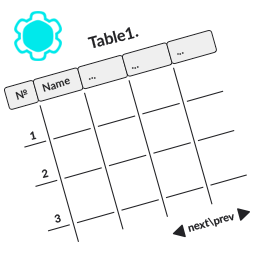
Organize information in tables
Data Tables Generator Pro places WordPress information in rows and columns. Create comparisons, pricing tables, schedules, directories, lists, datasets, and large spreadsheet-style collections without writing code. Responsive tables are designed to stay readable across devices. Charts and graphs offer a visual way to present the same table data.
Regular tables and WooCommerce products
The Table Creation Wizard offers a regular Data Table or a WooCommerce Product Table built from shop products. WooCommerce must be active to use the product-table workflow. Pro product-table controls include category inclusion, product ID exclusion, custom design templates and styles, searchable columns, attribute filtering, responsive-mode priority controls, and searches that include hidden columns. These controls can help organize searchable catalogs, product comparisons, and pricing lists.
Free product-table functionality includes manual product assignment, column sorting, and loader selection, with loader icon color customization.
Ask an AI assistant about table data
Connect through chat or voice to AI assistants that support MCP, including ChatGPT, Claude, Gemini, Copilot, and Cursor. The free AI functionality can read and analyze WordPress tables. Ask about values, request calculations, or get summaries without exporting data or scanning the table manually.
To make or manage tables with AI, you need the separate paid Pro AI Add-On as well as Data Tables Generator Pro. It extends analysis to creating tables, editing existing tables, applying formulas, changing formatting, and importing or exporting data. For example, you can ask the assistant to create a three-tier pricing table, add a discount column, calculate totals, or export a table as Excel.
Set up the workflow you need
Install Data Tables Generator Pro in WordPress and create tables through its table-building workflow. For AI capabilities, connect an assistant that works with MCP. To create, edit, or manage tables with AI, install the separate Pro AI Add-On alongside the Pro add-on. When WooCommerce is active, choose WooCommerce Product Table in the Table Creation Wizard.