WordPress plugin
YITH WooCommerce Quick View Premium
YITH WooCommerce Quick View Premium opens product previews in a modal from a WooCommerce catalog. Shoppers can review selected product information and continue browsing. Product navigation lets them move between products from the preview.
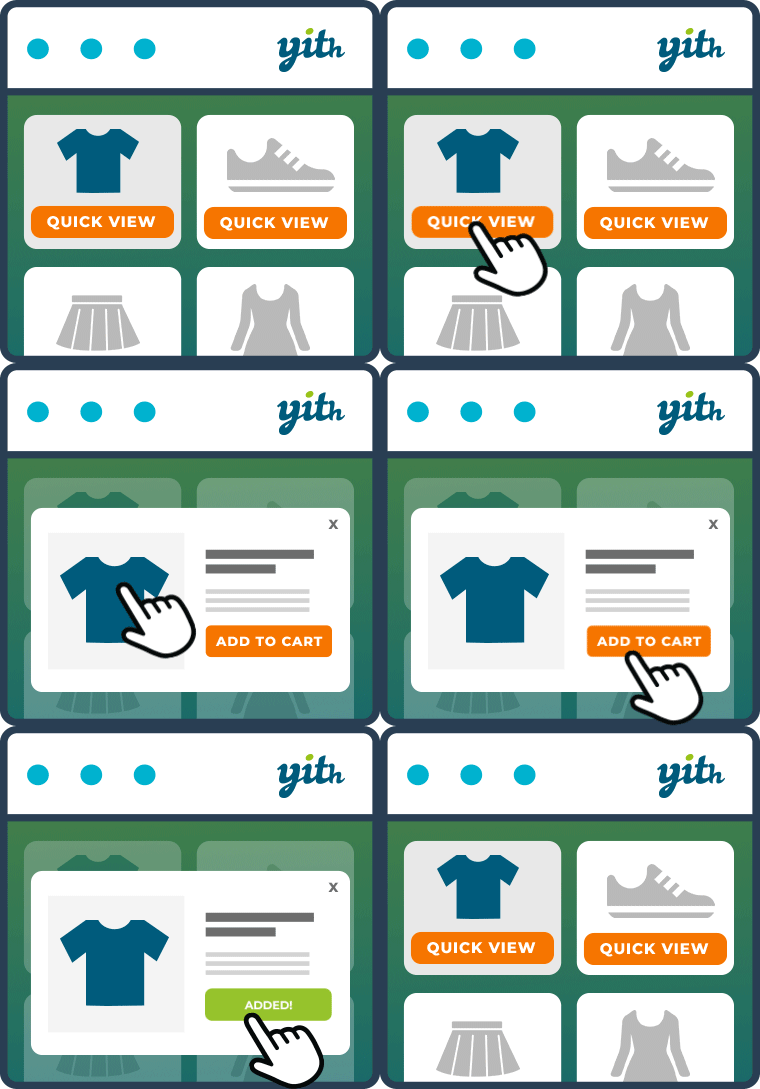
YITH WooCommerce Quick View Premium opens product previews in a modal from a WooCommerce catalog. Shoppers can review selected product information and continue browsing. Product navigation lets them move between products from the preview.
Choose how the preview opens
Use a Quick View button with an icon, upload a custom icon, or display the button when shoppers hover over a product image. A shortcode or Gutenberg block can display a preview for a specific product elsewhere in the shop.
Set the layout and product details
Place the preview in a cascading section or sidebar, select an opening animation, and set the modal height and width. Select which details to display, including the product image, name, rating, price, and Add to cart button.
The product image gallery can be hidden, shown in a classic style, or displayed as a slider. You can also include a link to the full product detail page.
Choose what happens after adding to cart
Customize the Add to cart button, then choose whether the Quick View closes or redirects shoppers to the Checkout page after they add an item. Social icons can be enabled to let shoppers share the product Quick View.