WordPress plugin
Post Views Counter Pro: Reports and Cached-Page Counting
Post Views Counter Pro extends Post Views Counter with tools for counting and reviewing content activity inside WordPress. Views belong to selected posts, pages, or other content. A Visit begins with a browser’s first counted view and includes subsequent counted content views within the fixed Count Interval. Later views do not extend that window, and Visits appear as site-wide totals rather than counts for individual posts.
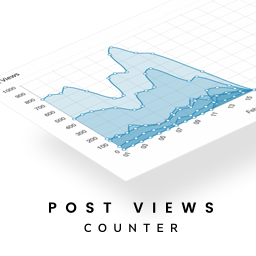
See what readers view across your website
Post Views Counter Pro extends Post Views Counter with tools for counting and reviewing content activity inside WordPress. Views belong to selected posts, pages, or other content. A Visit begins with a browser’s first counted view and includes subsequent counted content views within the fixed Count Interval. Later views do not extend that window, and Visits appear as site-wide totals rather than counts for individual posts.
Choose which post types to count, then show Views automatically or place them with a block, shortcode, or PHP function. The add-on works with PHP, JavaScript, and REST API counting modes. If a page cache serves a page without running WordPress, PHP mode cannot count that view. JavaScript and REST API modes count from the visitor’s browser. Pro includes fast AJAX counting, caching compatibility, and dynamic loading to count through cached pages and refresh displayed counts when a compatible mode is selected.
Use reports to compare content and time periods
Pro reports organize Views by date, post, and author. Date reports also include aggregate Visits. Set a custom Views Period, such as the last 7 or 30 days, to focus on a particular timeframe. Traffic reports group aggregate data by referrer, device, browser, operating system, and language. You can also review Views for taxonomy terms, authors, and other archives, then export data as CSV or XML.
In the Dashboard, charts show Views, Visits, or both, with month-to-month Views comparisons for the same number of days. The Top Posts widget organizes results by month. In post lists, the sortable Views column includes a chart for each post; Traffic Signals flag unusual changes compared with the same days of the previous month. Performance Insights explain changes in a post’s Views in the admin column, Traffic Signals, and email summaries. Daily, weekly, and monthly summaries are available.
Apply view counts to content processes
Use view-based ordering in supported builders, including Elementor Pro, Divi, and GenerateBlocks, to arrange content by popularity. The plugin also supports querying and ordering content by Views for developers, and includes custom REST API endpoints. Most Viewed Posts blocks and widgets can display popular content.
Counting controls let you exclude bots, logged-in users, selected roles, or specific IP addresses. Set the Count Interval to control the fixed window for repeat counts from the same browser, or manually adjust a post’s Views when needed. The plugin stores aggregate Views and Visits totals on your server and uses browser storage to help prevent repeat counting within the interval. Pro offers cookieless browser storage; its optional Strict Counts capability caches IP-derived data to limit repeat counts.
Configure the plugin and review results
Install and activate Post Views Counter, select the content types and counting mode, then configure exclusions, the Count Interval, and where to display counts. Use the Dashboard charts, admin columns, and Pro reports to review activity. Export data when you need to share or analyze it elsewhere. Existing data can be imported with one click from WP-PostViews, Statify, or Page Views Count.
The plugin supports Multisite, WPML, and Polylang, and is translation-ready through a POT file. Pro includes one year of updates and premium support through the dedicated support channel available after logging into your account.