WordPress plugin
Related Post Pro
Related Post Pro lets you decide where related posts appear and how they are selected. Add them to individual posts, pages, or custom post types, or place them around excerpts on archive views.
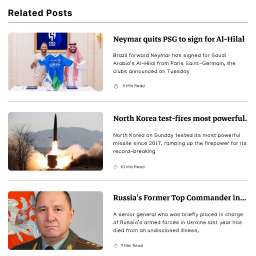
Related Post Pro lets you decide where related posts appear and how they are selected. Add them to individual posts, pages, or custom post types, or place them around excerpts on archive views.
Placement across posts and archive views
On individual content, display related posts before or after the content, or within it below the first, second, or third paragraph, or before the last paragraph. For archive excerpts, place them before or after the excerpt.
Archive display can be configured for tag, category, date, author, search, and custom taxonomy views, as well as the home page, front page, blog page, and year or month archives.
Manual selection and taxonomy queries
For an individual post, page, or custom post type, you can select posts manually. Alternatively, advanced query options let you set the maximum number of posts and choose query order and orderby parameters. Queries can use the current post’s categories, tags, and custom taxonomies.
Layouts and post components
Choose a grid, slider, or list layout. Set item widths, margins, padding, and text alignment, then arrange the title, thumbnail, and excerpt in the order you want. Each element can be shown or hidden. Title and excerpt settings include font size, color, padding, and margin; thumbnail settings include height and thumbnail size. You can also add custom CSS for each element.
Popup display and inserted content
Related posts can appear in a popup beneath a single blog post or custom post type. Choose from eight popup positions and set a delay before it appears. Scroll triggers can show the popup when a reader reaches the end of the article content or the end of the page or footer.
You can add custom HTML after post titles, excerpts, and thumbnails. Third-party shortcode output can also be placed after each of those elements. To display related posts elsewhere, use a shortcode in theme documents.
Click tracking and link targets
Enable click tracking to see which related posts receive clicks. The statistics page lists the top 10 posts from related-post clicks. Link targets can be set separately for title, thumbnail, and read more links, with options such as _blank and _parent.