WordPress plugin
Responsive Pricing Table Pro: Toggle Monthly or Yearly Prices
Responsive Pricing Table Pro extends the WordPress pricing table process with options for presenting plans, prices, capabilities, and buttons together. Create plans in the Pricing Tables area, set their details and appearance, then place the generated shortcode on a page or post.
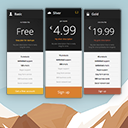
Build a plan comparison
Responsive Pricing Table Pro extends the WordPress pricing table process with options for presenting plans, prices, capabilities, and buttons together. Create plans in the Pricing Tables area, set their details and appearance, then place the generated shortcode on a page or post.
Pro comparison utilities
- Price toggle: Let users switch between pricing periods such as monthly and yearly in one table.
- Pricing plan equalizer: Help keep plans visually aligned when their content differs.
- Additional designs and layouts: Choose other arrangements for presenting pricing information.
- Feature tooltips: Add information bubbles beside features that need a brief explanation.
These options suit subscription comparisons and service tiers. A recurrence label describes a plan's terms, such as “per month,” while the price toggle lets visitors switch between periods.
Plan details and show
Each plan can include a title, subtitle, description, price, recurrence label, small icon, and as many features as needed. Add a button with its text and URL; custom buttons, including Stripe and PayPal buttons, are supported.
Set a color for each plan and highlight a recommended plan when appropriate. You can change or remove the currency sign, select whether links open in the current or a new window, adjust title alignment, choose a font size preset, force the plugin’s original fonts, and add custom CSS classes.
Create and place a table
In the WordPress administration area, make plans and enter their pricing and features. Configure the display options, add tooltips where a feature needs an explanation, and choose a Pro layout. Copy the generated shortcode and add it to the page or post where visitors should compare the plans.