WordPress plugin
Meow Gallery Pro: Carousel and Map layouts for WordPress
Meow Gallery Pro extends a lightweight gallery add-on designed to work with WordPress and Gutenberg. Add a gallery with the Gallery Block or a shortcode, or use the standard WordPress gallery override. You can switch off the override when needed.

Build galleries in WordPress
Meow Gallery Pro extends a lightweight gallery add-on designed to work with WordPress and Gutenberg. Add a gallery with the Gallery Block or a shortcode, or use the standard WordPress gallery override. You can switch off the override when needed.
Choose a layout for your images
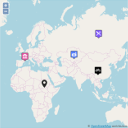
Arrange photos with Tiles, Masonry, Justified, Square, Cascade, or Horizontal layouts. The Pro edition adds Carousel and Map layouts. Carousel shows images in a slider that can also serve as a hero show. Map presents photos using their GPS information, which suits travel and other location-focused collections.
Layouts are responsive and retina-ready. Tiles adapts a grid to picture orientation, Masonry stacks photos in columns, and Justified arranges images in even rows while keeping their shape.
Loading and animation
Use infinite or lazy loading to load gallery images progressively. Animations add movement to the presentation.
Works with other WordPress tools
Choose any lightbox; Meow Lightbox is recommended in the supplied product information. Meow Gallery is compatible with Photo Engine for media organization and Lightroom synchronization, and with Gallery Custom Links for custom image URLs. Audio Story Images can add audio to images. Automatic sitemap integration works with Yoast SEO and other SEO plugins.
Add a gallery
Insert images through the Gallery Block, a shortcode, or the standard gallery override. Choose a layout for the page. Use Map to display photos from GPS information or Carousel for a slider or hero-style sequence, then configure progressive loading and animations as needed.