WordPress plugin
Cool Timeline Pro: four layouts for WordPress stories
Cool Timeline Pro organizes events, milestones, process steps, and blog posts as timelines on a WordPress website. Create separate timelines for a company history, product roadmap, event program, project phases, real estate development, sports achievements, or a personal story.
Cool Timeline Pro organizes events, milestones, process steps, and blog posts as timelines on a WordPress website. Create separate timelines for a company history, product roadmap, event program, project phases, real estate development, sports achievements, or a personal story.
Timeline layouts and skins
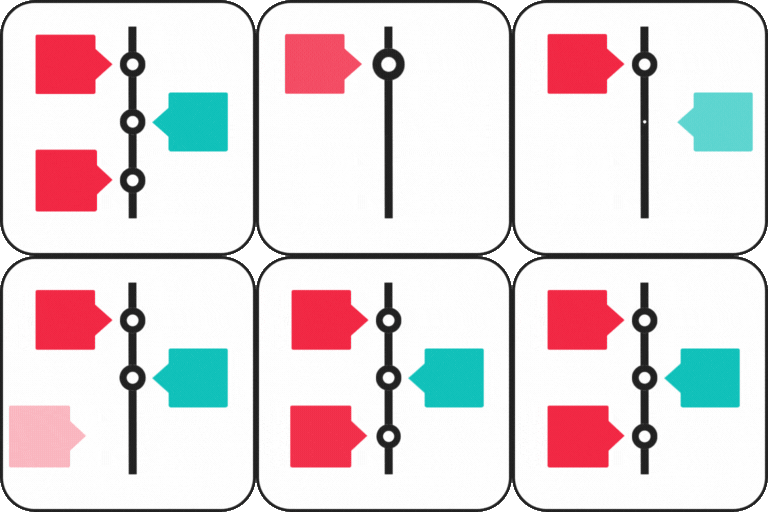
Pro includes Vertical Timeline, Vertical Compact Timeline, Vertical One-Side Timeline, and Horizontal Timeline layouts. The free edition supports vertical timelines; Pro adds the compact, one-side, and horizontal settings. Each Pro layout has at least six styling styles, including Classic, Modern, and Elegant, with Light, Dark, and Colorful skins.
Story order and show
Arrange stories from oldest to newest or newest to oldest, and select a date format. Custom labels can replace dates for process steps or historical periods such as AD and BC. Set colors for individual stories, display a summary or full description, and align content left, right, or center. Stories can use icons or dots, and animation effects can appear as items enter the timeline. Pagination controls how many stories appear at a time.
Media and category filters
Add pictures, videos, or slideshows to timeline stories. Category filters let users sort stories, and blog posts can appear in a timeline by date. Ajax Load More can load additional timeline content.
Editors and placement
Cool Timeline Pro supports Gutenberg, WPBakery, Bricks Builder, and the Classic Editor. Use the smart shortcode generator to prepare a timeline for a page or post without writing the shortcode manually. Elementor and Divi timelines require additional extensions.
Common timeline uses
- Show company milestones, product launches, and project stages.
- Present conference highlights, event plans, or schedules.
- Display blog posts in chronological order.
- Share achievements, family milestones, or personal stories.
- Map a real estate development or sports career.
Set up a timeline
Install Cool Timeline Pro on a WordPress site, make timeline stories, then choose the layout, skin, ordering, and display settings. Add the finished timeline using the Gutenberg block, another supported editor, or the shortcode generator. Create separate timelines for distinct collections of events.