WordPress plugin
Product Variations Swatches for WooCommerce Pro
Product Variations Swatches for WooCommerce Pro shows product attributes as buttons, colors, images, variation images, or radio swatches instead of standard dropdowns. Customers can view and select available settings on product pages, which makes choices such as color and style easier to inspect.
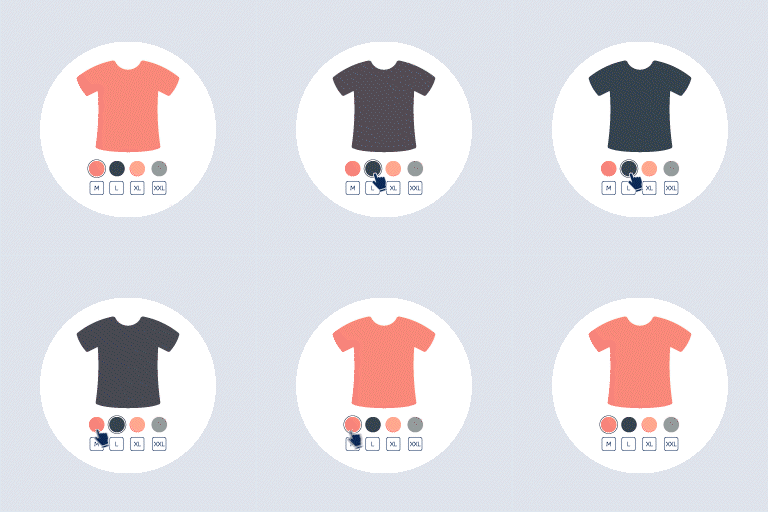
Give product variations a visual selector
Product Variations Swatches for WooCommerce Pro shows product attributes as buttons, colors, images, variation images, or radio swatches instead of standard dropdowns. Customers can view and select available settings on product pages, which makes choices such as color and style easier to inspect.
Set attribute displays for your catalog
In the swatches options, find an existing global attribute, choose horizontal or vertical layout, assign a swatch type and profile, then edit its terms. You can also show or conceal selected attributes in product lists.
Pro includes the free version's capabilities and includes settings for custom attributes on variation products. Enter an existing attribute name, choose the product categories where the customization applies, and select its show style.
Style profiles and tooltips
Create unlimited swatches profiles, or duplicate a profile to make another styling. Profile settings include padding, height, width, font size, mobile and product-list sizes, color, and box shadow. Hover and selected states can have their own color, background, border, shadow, and size.
Tooltip settings cover color, border, font size, and position. You can modify tooltip content and use an attribute or variation image.
Show image and stock changes
When a customer selects an attribute term, the product image can change. This works with the various swatch types and can use an image assigned to each term.
The extension can detect out-of-stock variations and show them blurred or crossed out. Choose whether unavailable options remain clickable or are hidden.
Install and configure
Install and activate the add-on on a WooCommerce site, then open its swatches settings. Select an attribute, choose horizontal or vertical display, assign a display type and profile, and edit the relevant terms. Create or duplicate profiles, configure tooltips and selected states, then enable image changes or choose how out-of-stock options appear.
The plugin works with WooCommerce 7.x or higher and PHP 7.0 or higher. The plugin is designed for mobile devices and has an interface for configuring variation swatches.